How to Edit a Shopify Order After Checkout (and What Customers Can Fix Themselves)
By Sam Hale, Order Change team · Updated
Yes, you can edit a Shopify order after checkout. Shopify order editing happens in your admin, on items that haven't been fulfilled yet. Your team can change or modify an order in Shopify by adding or removing products and by changing quantities, shipping fees or item discounts. Some orders can't be edited at all, and the billing address can't be changed on any order. Customers have their own options, covered further down.
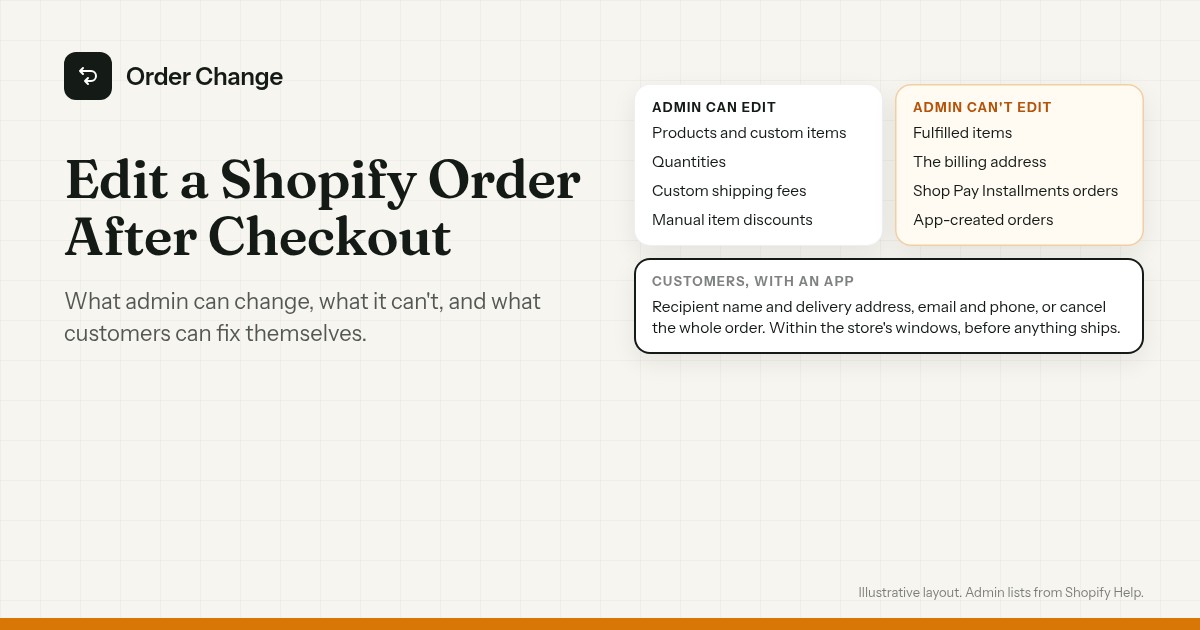
Can you edit a Shopify order after checkout?
Your team edits in Shopify admin. The store owner and staff with the Edit orders permission can edit unfulfilled items, and Shopify says "You can edit orders after they're placed to make adjustments before fulfillment."
Customers have their own options. Through Shopify, a signed-in customer can request to cancel items that haven't shipped, if the store has turned that on. With an app, a customer can fix the delivery address, update contact details or cancel within windows the store sets. Where the store offers it, they can also change items, apply a discount code or upgrade shipping.
What Shopify admin can edit
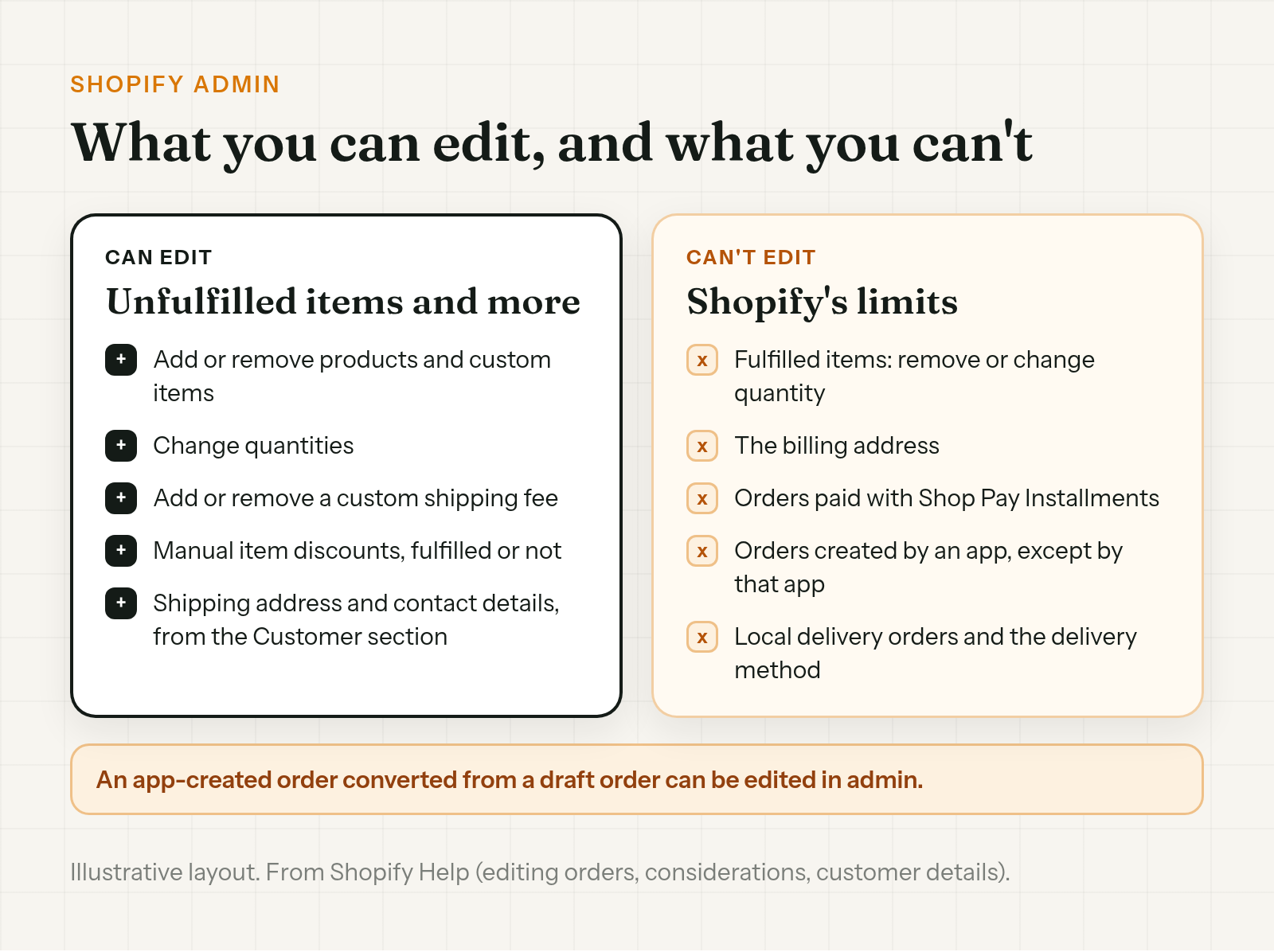
Shopify says "When you edit an order, you can add or remove products, adjust item quantities, and update shipping fees. You can also apply manual discounts to specific items or remove existing discounts." Shopify order editing covers:
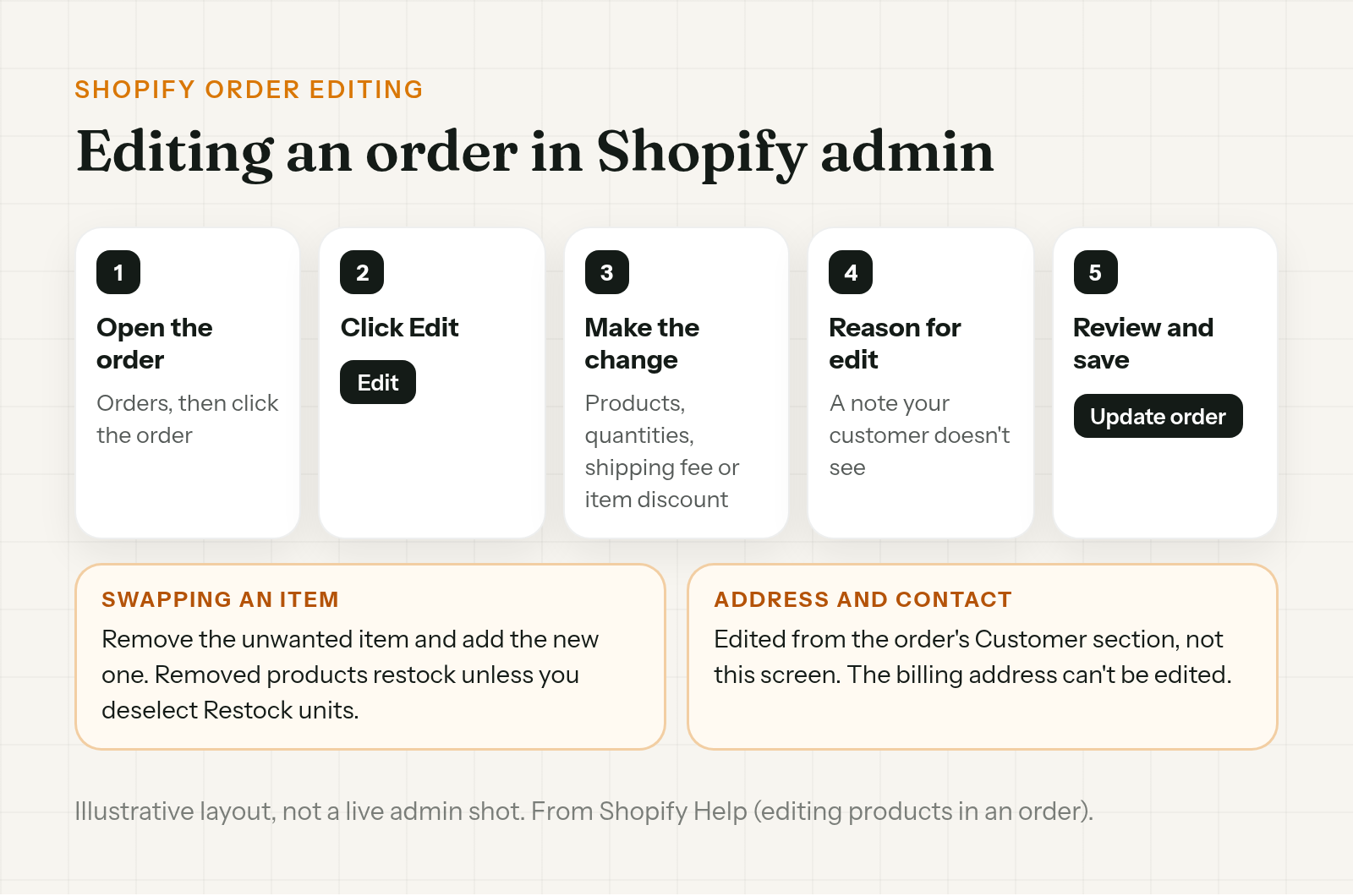
- Products and custom items. Add them, or remove ones that haven't been fulfilled. "If you want to swap items, then you need to remove the unwanted item and add a new item."
- Quantities. Increase or decrease them on unfulfilled items.
- Custom shipping fees. Add or remove one.
- Manual item discounts. Add or remove them, on fulfilled and unfulfilled items.
To modify an order in Shopify, open Orders, click the order, then Edit. Make the change, add a note under Reason for edit (Shopify says "This note isn't displayed to your customer"), review the summary and click Update order.
The shipping address and contact details are edited from the order's Customer section rather than the Edit screen. Shopify says "You can update the shipping address, contact information, and customer link after an order is placed, but you can't edit the billing address."
Shopify warns that "some apps might not recognize order edits" and that "You can accidentally ship an item that was removed from the order and not paid for." What happens when a canceled order ships anyway is covered in Shopify order canceled but still shipped.
What Shopify admin can't edit
Shopify's considerations page lists the limits:
- Fulfilled items. "You can edit unfulfilled items in an order, but you can't remove fulfilled items or adjust their quantity."
- The billing address. It can't be edited after the order is placed.
- Shop Pay Installments orders. "You can't edit orders that were paid for using Shop Pay Installments."
- Orders created by an app. "Only the app that creates an order can edit the order." The exception is an app that creates a draft order that's later converted.
- Local delivery orders. They can't be edited, and you can't change the delivery method, such as from shipping to pickup.
- Bundles and order discounts. You can't add a product bundle, and order-level discounts, discount codes, automatic discounts and script discounts can't be edited. Where the store offers it, Order Change lets the customer apply a code they forgot at checkout to the order afterwards.
Editing an order after payment
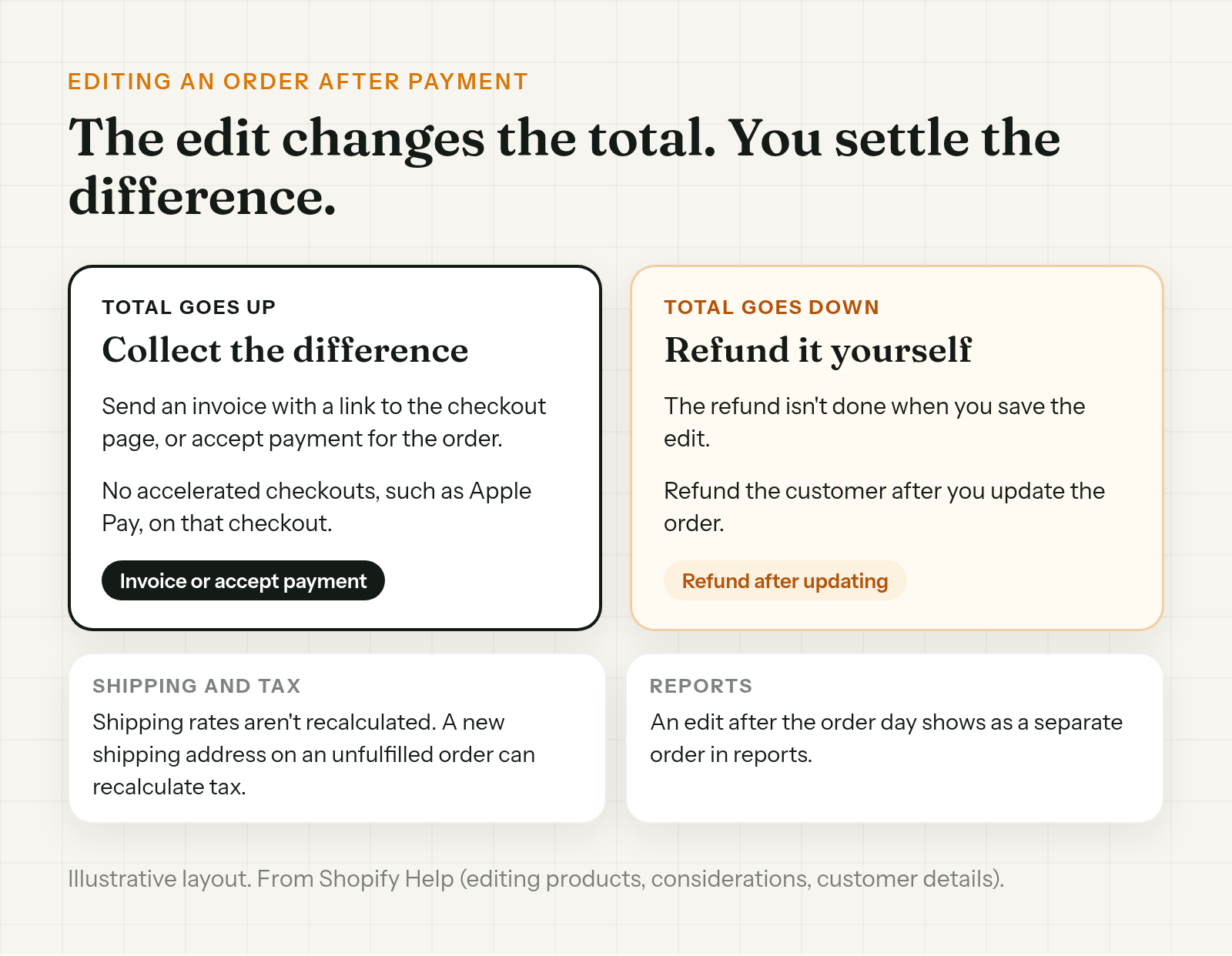
After payment, an edit changes the total, and the money side is up to you:
- The total goes up. Shopify says you collect payment "by sending an invoice to your customer with a link to the checkout page, or you can accept payment for the order."
- The total goes down. Shopify says "The refund isn't complete when you edit an order and send your customer a notification. You need to refund your customer after you update the order."
Shopify also notes that shipping methods and rates aren't recalculated when you edit an order, though you can add a custom shipping charge. Where the store offers it, Order Change lets the customer upgrade to a faster shipping option the store offers and pay the difference. Changing the shipping address on an unfulfilled order can recalculate taxes, and you choose how to collect or refund the difference.
If a customer says a refund from an edit hasn't arrived, see Shopify refund pending for what to check.
Customer cancellation requests in Shopify
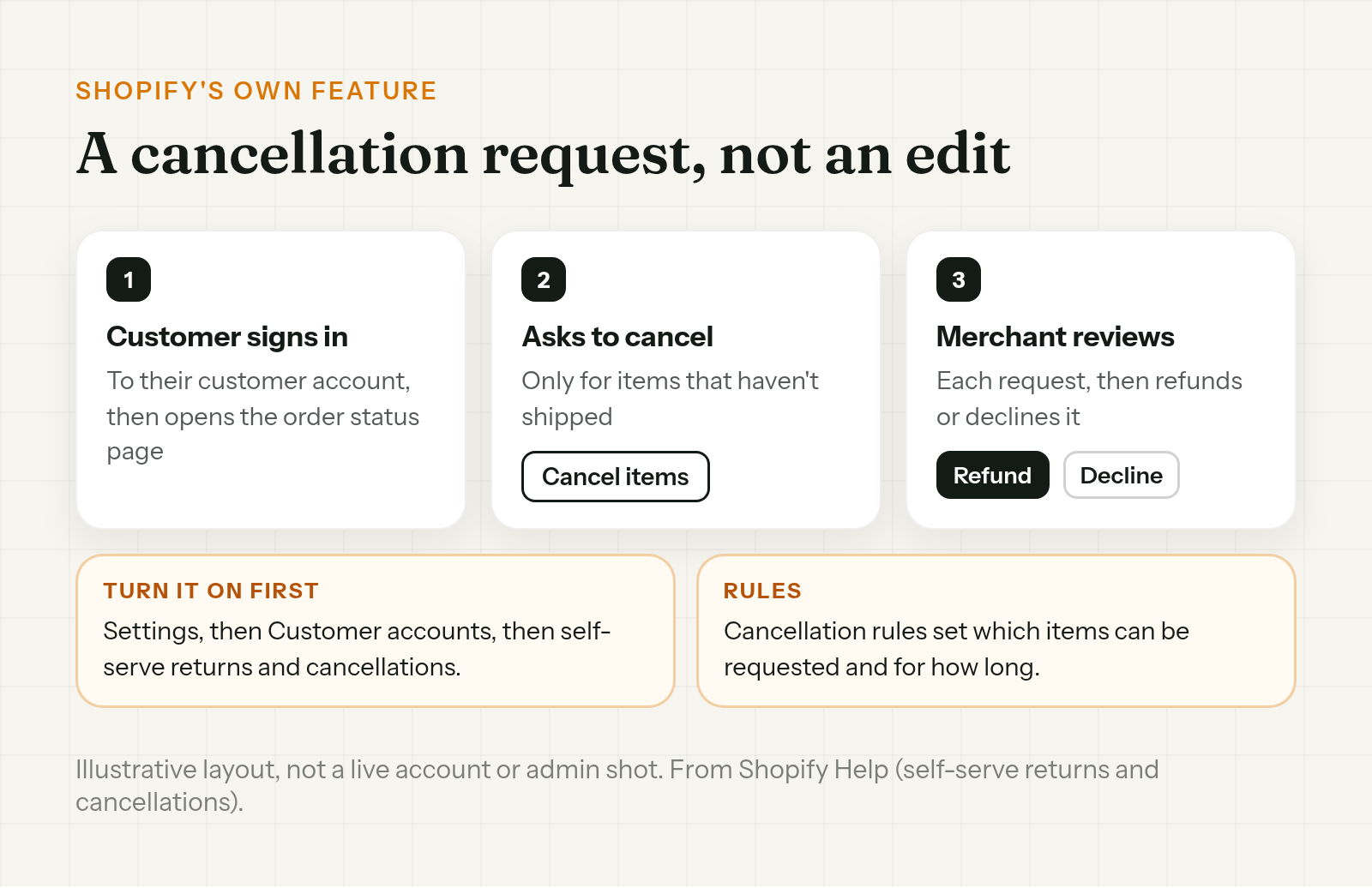
This one is Shopify's own feature, and it's a request, not an edit. Customers can ask to cancel items that haven't shipped. The merchant reviews each request and refunds or declines it.
The merchant has to turn on Shopify's self-serve returns and cancellations, under Settings, then Customer accounts. And the buyer has to sign in to their customer account, where the order status page shows a Cancel items option. Shopify's changelog announced it on 18 June 2026: "Buyers can now request order cancellations through self-serve, in addition to requesting returns."
If you take cancellation requests, put the rules in writing. A template and where to put it are in Shopify cancellation policy.
Letting customers fix their own order
So can customers edit their order after checkout in Shopify? For some details, yes, with an app.
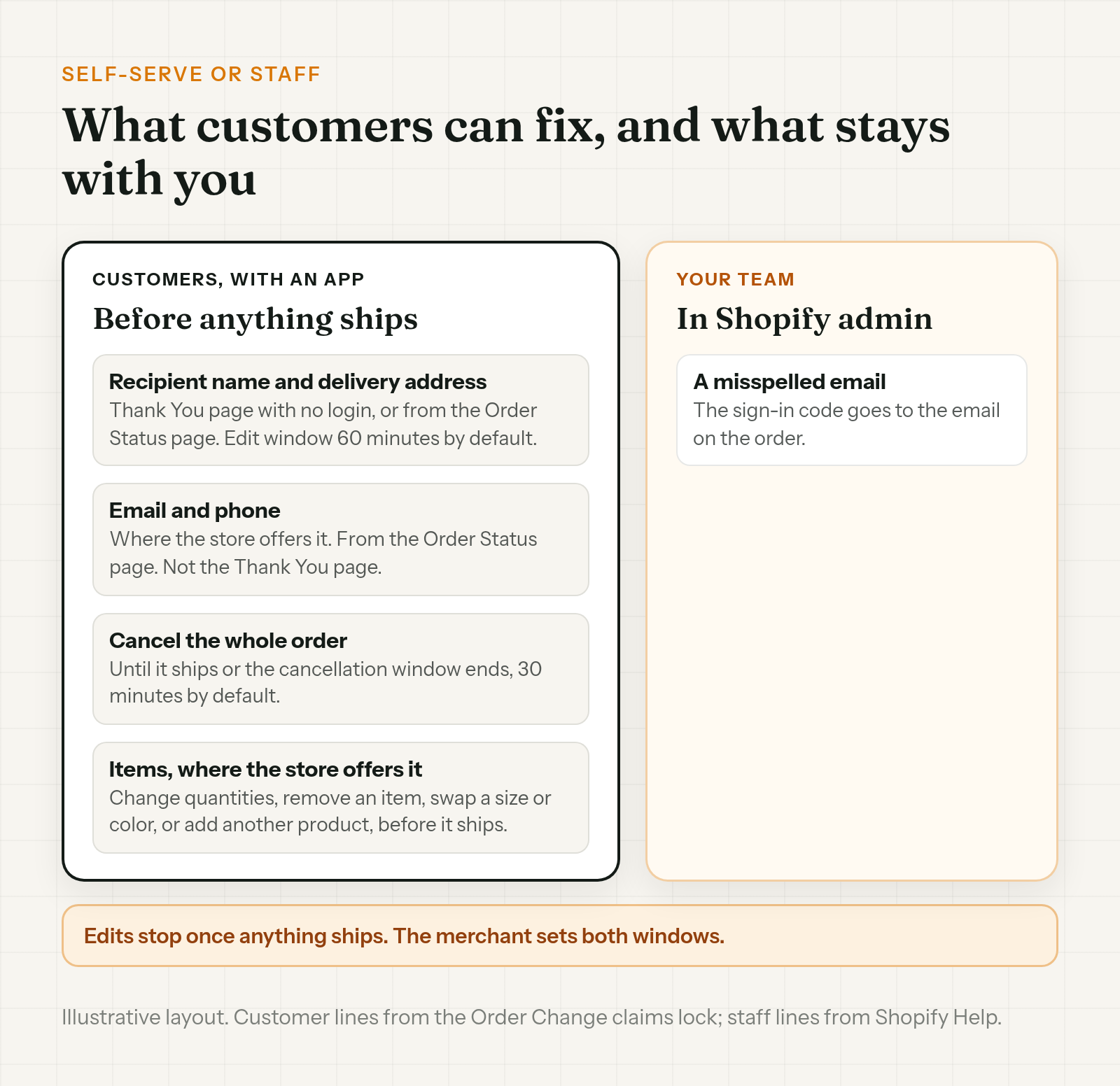
Order Change lets customers fix their order after checkout, before anything ships, inside windows the store controls. Changes are made to the original order, so the order number stays the same.
Recipient name and delivery address
Shoppers can correct the recipient's name and the delivery address. They can do it on the Thank You page with no login, or from the Order Status page, within the store's edit window. The window is 60 minutes from when the order was placed by default, and the merchant can change it. Edits stop once anything ships. Changing the address doesn't change what the customer paid for shipping. By default, the app won't spot a wrong address, so the customer has to notice. Your team's full fix is in how to change a shipping address on Shopify after an order, and a blank line 2 is covered in missing apartment number on a Shopify order. When the buyer's own address ends up on a gift, see Shopify gift order wrong address.
Blocking PO boxes is Shopify's checkout rule, covered in how to block PO box addresses on Shopify.
A wrong ZIP is covered in wrong ZIP code on a Shopify order.
Which name to fix is covered in how to change a customer name on a Shopify order.
Optional fulfillment hold
The hold works where the store turns it on. It's opt-in and off by default. It keeps the order from shipping until the edit window closes, and it doesn't make the window any longer. It only works if your 3PL reads Shopify's On hold status. Setup and the 3PL side are in hold fulfillment on Shopify during order edits.
Email and phone
Where the store offers it, customers can change their email and phone from the Order Status page, not on the Thank You page. Signing in needs a code sent to the email on the order, so a misspelled email still needs your team. The staff fix and the resend are in how to change the email on a Shopify order.
Canceling the whole order
Customers can cancel the whole order themselves. The cancel option closes once the order ships or the store's cancellation window ends, a window each merchant sets. Setup and the trade-offs are in how to let customers cancel their own Shopify orders.
Where the store offers it, customers can also change items, covered in the next section. More at orderchange.com.
Item and quantity changes, where the store offers it
Where the store offers it, customers can change items within the store's edit window, before anything ships. They do it on the Thank You page with no login, or from the Order Status page.
- Need one more, or one fewer? Change quantities or remove an item before it ships.
- Picked the wrong size or color? Swap it for another option of the same product.
- Forgot something? Add another product to your order before it ships.
- Forgot your code at checkout? Apply it to your order afterwards.
- Need it sooner? Upgrade to a faster shipping option the store offers.
If the total goes up, the customer pays the difference. If it goes down, the difference is refunded to the original payment. A discount shows on the order as a line discount labeled with the code. A shipping upgrade only works on orders with one shipping line.
Cancel the order or edit it?
In Shopify admin, removing one item is an edit, and the refund comes after you update the order. The full method is in cancel a line item on Shopify without voiding the whole order.
When a customer has ordered twice, canceling the extra order is cleaner than editing either one. How to pick which to keep is in how to cancel a duplicate Shopify order.
FAQ
Can you edit a Shopify order after checkout?
Yes. In your Shopify admin, open the order and click Edit. You can add or remove products, add custom items, change quantities, add custom shipping fees, and add or remove manual item discounts. Edits work on unfulfilled items.
Can you edit a Shopify order after it's paid?
Yes. If the total goes up, send the customer an invoice with a link to checkout or accept payment. If it goes down, refund the customer after you update the order. Orders paid with Shop Pay Installments can't be edited.
Can you edit a fulfilled Shopify order?
Not the fulfilled items. Shopify says you can't remove fulfilled items or adjust their quantity. You can still add and manage discounts on fulfilled and unfulfilled items.
Can you change the billing address on a Shopify order?
No. Shopify lets you update the shipping address, contact information and customer link after an order is placed, but not the billing address.
Can customers edit their order after checkout?
With an app, customers can correct the recipient's name and the delivery address, and, where the store offers it, change their email and phone from the Order Status page. Where the store offers it, they can also change quantities, swap a variant, add a product, apply a discount code or upgrade shipping. They can cancel the whole order until it ships or the store's cancellation window ends, a window each merchant sets. Edits work only within the store's edit window and before anything ships.
How long can customers change their order?
With an app, until the store's edit window closes, which is 60 minutes from when the order was placed by default and set by the merchant. Edits stop once anything ships.
To edit a Shopify order after checkout, use the Edit screen in admin for unfulfilled items, and the Customer section for the shipping address and contact details. Billing addresses, Shop Pay Installments orders and app-created orders are off limits. Customers can request a cancellation through Shopify, or fix their own order with an app, including items where the store offers it.
For stores that want customers to fix their own delivery address, update contact details or cancel, and, where the store offers it, change items, apply a discount code or upgrade shipping, see orderchange.com. Order Change edits the original order, so the order number stays the same.
Related: change a shipping address
For the full edit, label void and 3PL steps, see How to change a shipping address on Shopify after an order.
Related: let customers cancel
For Shopify's cancellation options and setting a window, see How to let customers cancel their own Shopify orders.
Related: hold fulfillment
To keep orders out of the warehouse while customers can still fix them, see Hold fulfillment on Shopify during order edits.