Shopify Refund Pending? What to Check When a Customer Hasn't Got Their Money
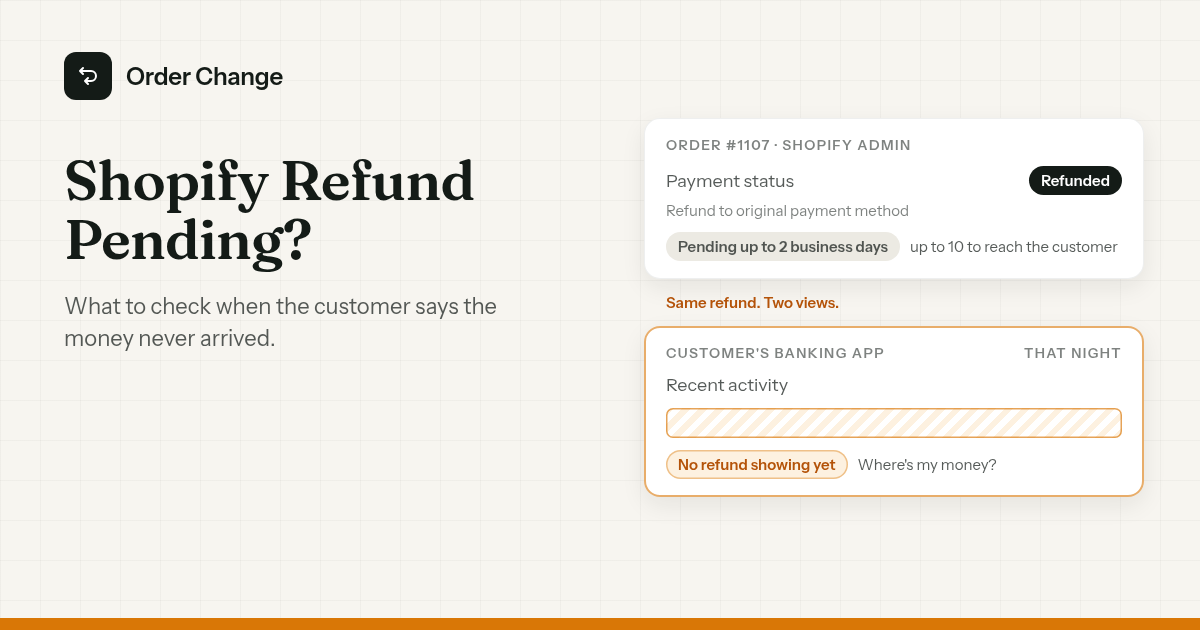
A customer cancels. The cancel email arrives. That night they open their banking app and see nothing.
Next morning, a ticket: "Where's my money?"
You open the order. It says Refunded. Or it's a Shopify refund pending on the Orders page, and it has been for days.
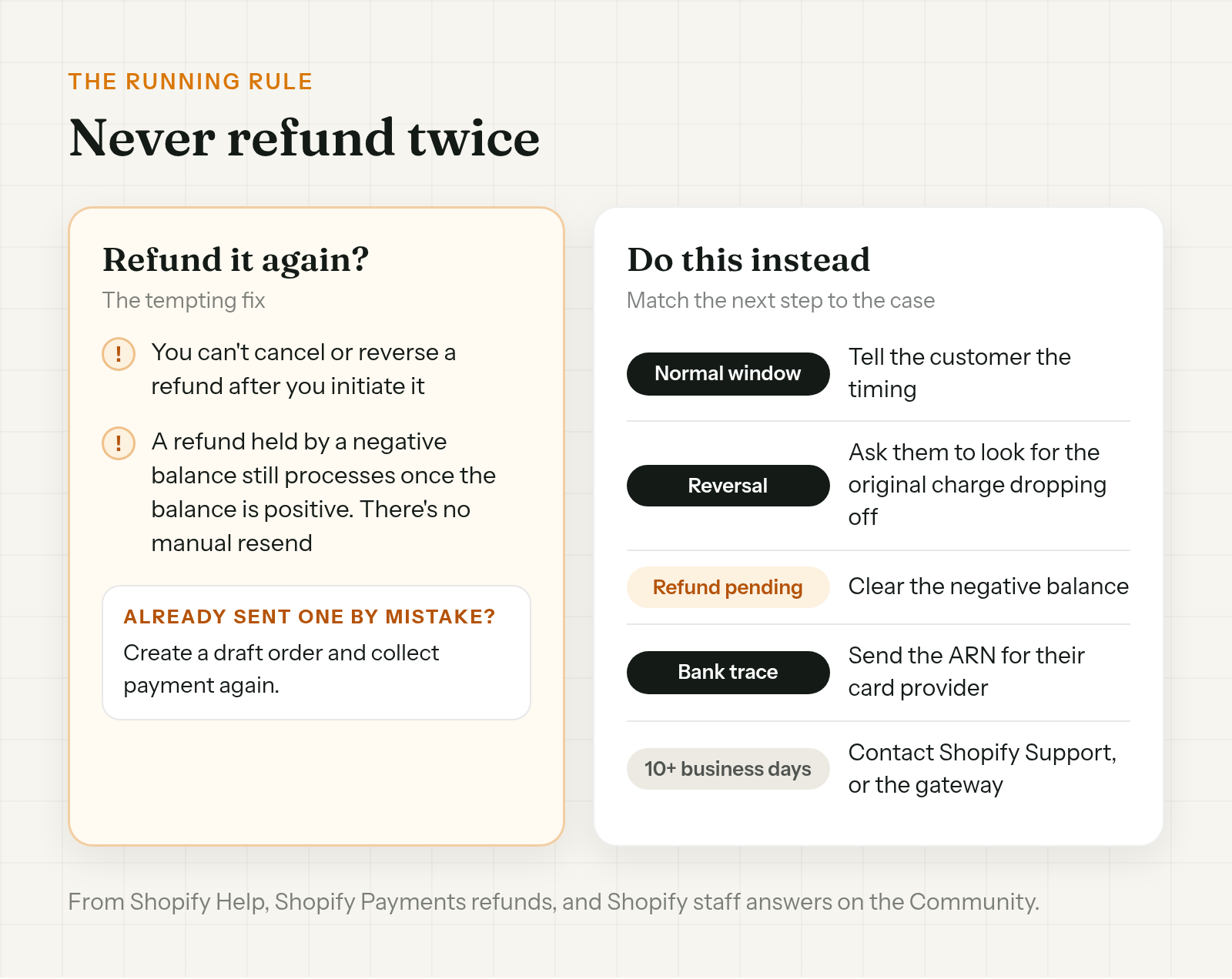
The quick fix looks like a second refund. Don't. Shopify Help is clear: "You can't cancel or reverse a refund after you initiate a refund."
The short version. A Shopify refund pending in your admin isn't a fault on its own. On Shopify Payments, "the refund status is marked as Pending for up to 2 business days." It "might take up to 10 business days for the refunded amount to be received," depending on the customer's bank. So check the order timeline first, and give the customer the ARN if there is one. Don't refund again while you wait.
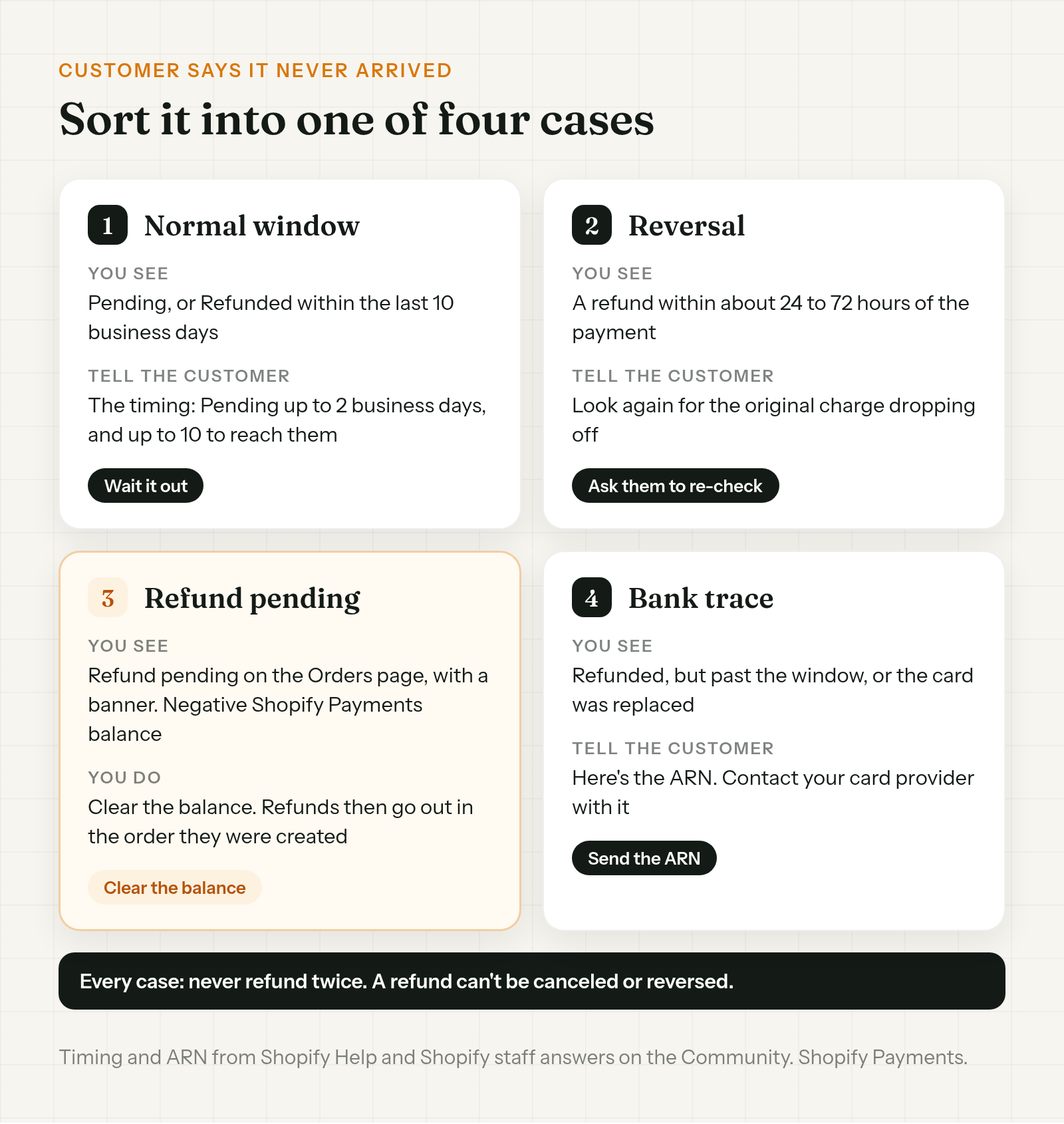
When a customer says they didn't receive a refund, it's one of four things:
- It's still inside the normal window.
- It went back as a reversal. The original charge dropped off, so there's no refund line to find.
- It's stuck on Refund pending. Your Shopify Payments balance is negative.
- It left Shopify and the bank needs to trace it. That's what the ARN is for.
What the status in Shopify is telling you
Start on the order, not in the inbox. The status decides which case you're in.
- Pending. On a Shopify Payments refund, Shopify marks the status Pending for up to 2 business days. That's normal.
- Refunded. Shopify has issued it. The refund amount comes out of your next available payout, and the customer's bank can still take up to 10 business days to show it.
- Refund pending, on the Orders page. This one is different. It shows when your Shopify Payments balance has hit its negative limit, with a banner on the Orders page. More on it below.
- Voided. If the payment was only authorized and never captured, canceling voids it. Nothing is refunded, and the hold drops off the card. That's why there's no refund line. Authorized and captured payments are covered in how to cancel a duplicate Shopify order.
A refund showing in your payout doesn't mean the customer can see it yet. On the Shopify Community, one merchant's refund had been processed 16 days earlier and showed in their payout, and the customer still said nothing had arrived.
How long does a Shopify refund take?
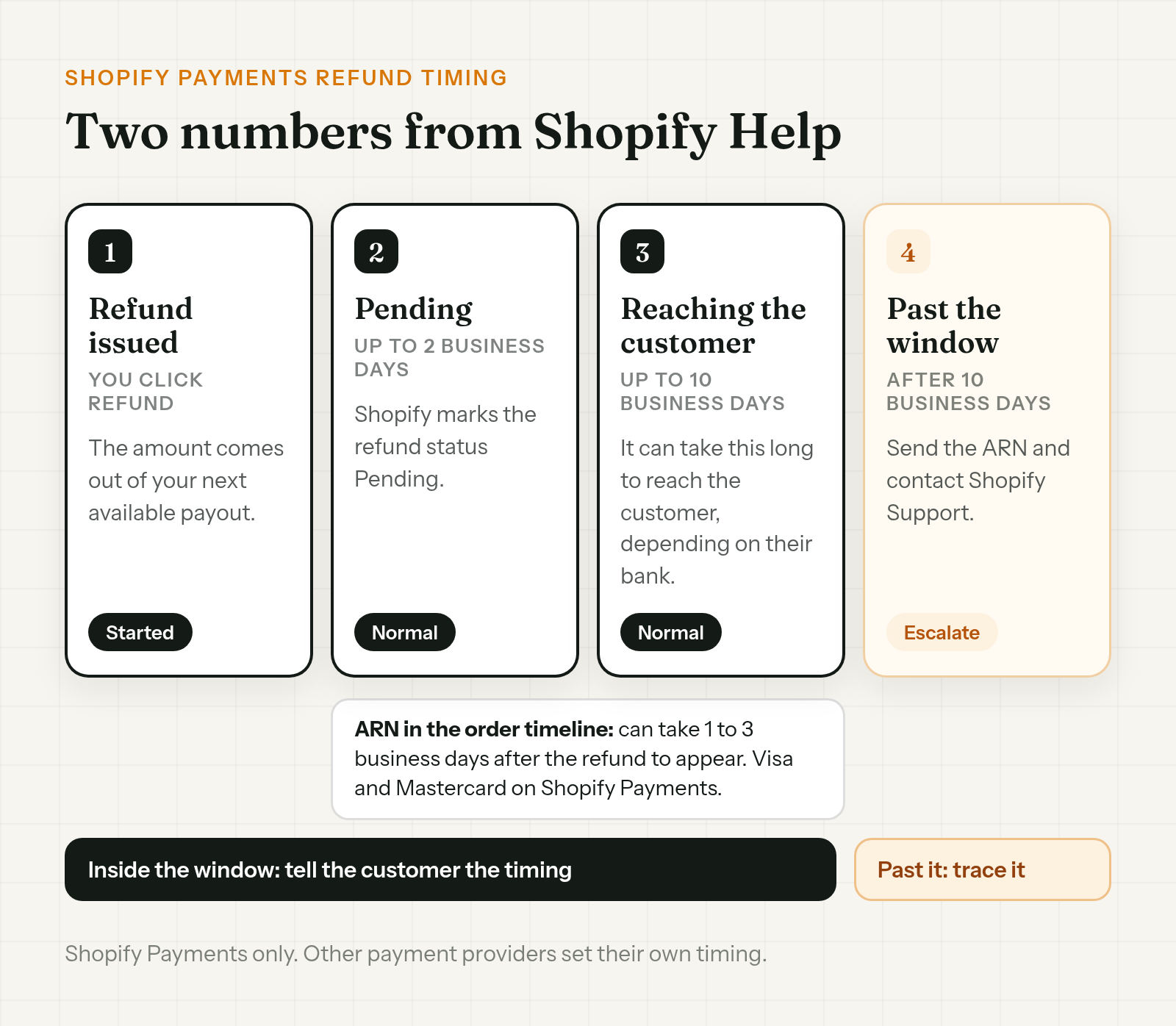
On Shopify Payments, Shopify Help gives two stages:
- Pending for up to 2 business days. The refund is marked Pending in Shopify.
- Up to 10 business days to be received. It can take up to 10 business days to reach the customer, depending on their bank.
Both numbers are business days, so weekends don't count.
These numbers are for Shopify Payments only. If the order was paid through a different payment provider, that provider sets its own timing. Check with its support before you tell the customer anything.
Not showing on the card? Rule these out first
A Shopify refund not showing on card statements can still have gone through. Before you treat it as missing, rule out these.
- It was a reversal. A Shopify staff answer on the Community says to check the order timeline. If the refund went through within about 24 to 72 hours of the payment, it was likely processed as a reversal. The charge may just drop off the statement, with no separate refund line. Ask the customer to look at their bank activity again with that in mind.
- It was voided. An authorized payment that was never captured gets voided on cancel. There's no refund to find, because no money was taken.
- Their card was replaced. Refunds go only to the original payment method. If that card has expired or been canceled since they paid, the customer's bank reroutes the refund. The customer contacts their bank, and you can give them the ARN.
For the reversal case, one line is enough:
Hi Jo, your refund for order #1107 went through soon after you paid, so your bank may show it as the original charge dropping off rather than a new refund line. Could you check your card activity for the original payment again?
Find the ARN and send it
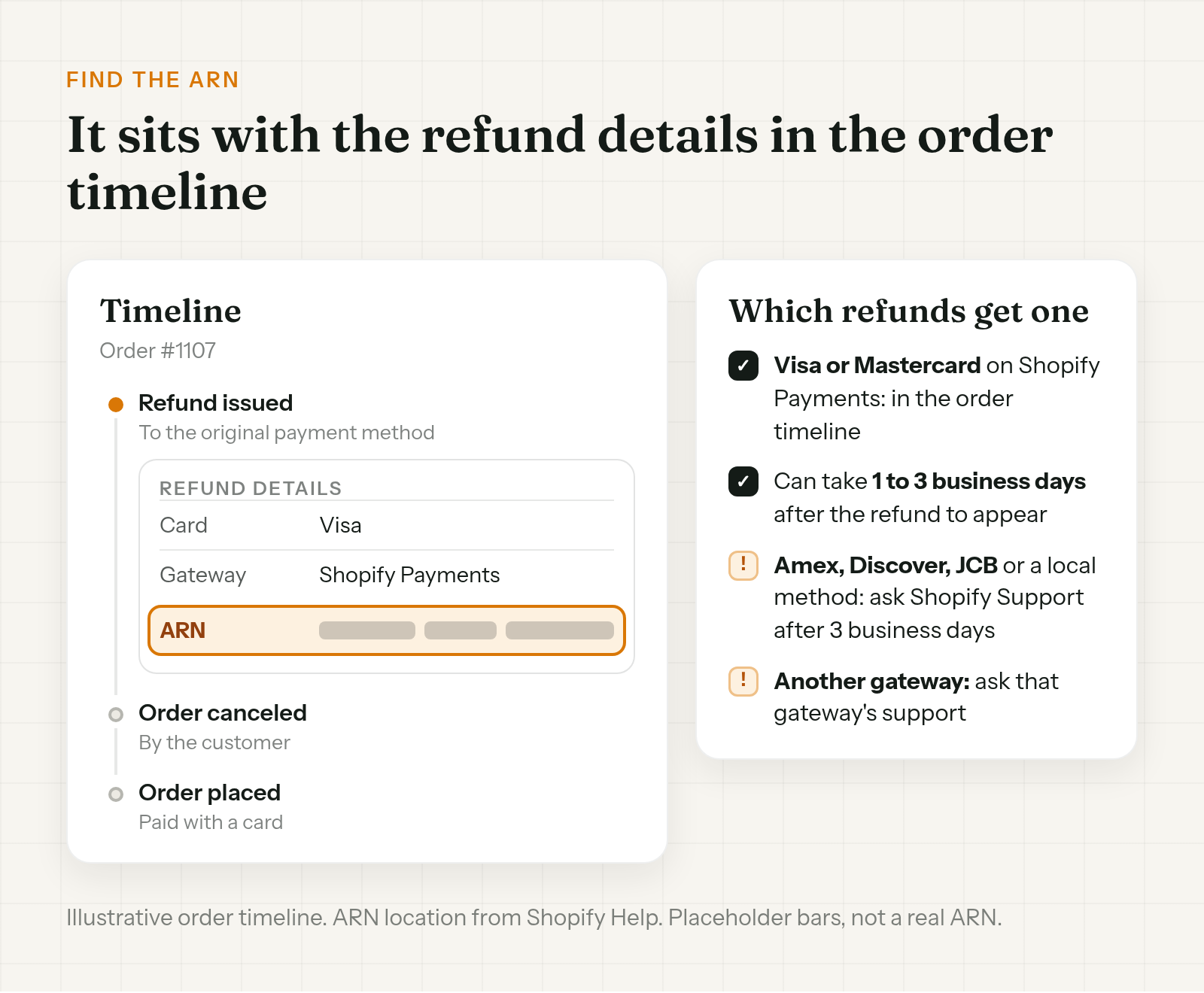
ARN stands for Acquirer Reference Number. The customer's bank can use it to trace the refund. Shopify Help: "If a customer claims that they haven't received their refund, then you can provide them with the ARN and advise them to reach out to their credit card provider."
Where to find it:
- Visa or Mastercard on Shopify Payments. Open the order and look in the order timeline, under the refund details.
- Not there yet? A Shopify staff answer on the Community says it may not appear until 1 to 3 business days after the refund.
- Amex, Discover, JCB or a local method. Ask Shopify Support for the ARN once it's been 3 business days.
- Paid through a different gateway. Contact that gateway's support.
It's also the answer when the bank says something odd. On the Community, a customer's bank said a $0 refund had come in after the merchant sent a full refund. The answer in that thread was the ARN.
When you send it, say what it's for:
Hi Jo, we refunded order #1107 in full to your original card. Here's the refund's reference number (ARN): [ARN]. If it hasn't reached your account, please contact your card provider with this number so they can trace it.
Stuck on Refund pending: a negative balance
This is the case where the money really hasn't left yet.
When your Shopify Payments balance hits its negative limit, you can still issue refunds, "but the funds aren't returned to the customer until the negative balance is cleared." Those orders show Refund pending on the Orders page, with a banner.
What happens next, per Shopify Help:
- Clear the balance. The banner on the Orders page has a Make a payment option.
- Refunds then go out in order. They process in the order they were created.
- The customer hears when it's processed. They're notified only when the refund has processed, not before.
A Shopify staff answer on the Community adds the part your team needs to know. With a negative balance, the refund shows as pending rather than failed, and it processes once the balance is positive. There's no manual resend. A second refund isn't a resend either. It's a second refund.
When to escalate
Escalate when you're past the window, not before.
- Past 10 business days on Shopify Payments. Contact Shopify Support. A Shopify staff answer on the Community says that after 10 business days, Shopify Support can trace a Shopify Payments refund using the ARN. Contact them, and they can pass it to their Financial Services team.
- Paid through another gateway. Contact that gateway's support.
Weeks on pending with nothing at the bank is past the window. One merchant on the Community had a refund show pending for weeks while the customer's bank showed nothing pending. The fix in that thread was specific to that account, so don't copy it. Ask Shopify Support about yours.
Whatever case you're in, the rule holds: never refund twice. A refund can't be canceled or reversed once you've started it. If a second one has already gone out by mistake, Shopify's route is to create a draft order and collect payment again.
Fewer "where's my refund" tickets
Some of these tickets start with a customer checking their banking app the same night they canceled.
- Put the timing in your cancel reply. Answer "how long does a Shopify refund take?" before the customer has to ask, with Shopify's numbers and nothing more.
- Let customers cancel early themselves. The options, and the limits of each, are in how to let customers cancel their own Shopify orders.
A cancel reply that sets the timing:
Hi Jo, we've canceled order #1107 and refunded it to your original payment method. Shopify shows the refund as pending for up to 2 business days, and it can take up to 10 business days to reach your account, depending on your bank. If it's still not there after that, reply here and we'll help you trace it.
Order Change lets customers cancel early themselves: on the Thank You page right after checkout, with no login, or from the Order Status page if your store uses new customer accounts. That cancel is immediate. The order is canceled and refunded in Shopify straight away, not left as a ticket in a queue. From there it's an ordinary Shopify refund, and the timing belongs to Shopify and the bank.
It doesn't change how long the refund takes once it's issued, and it doesn't send a separate cancel to your 3PL. More at orderchange.com.
Check these either way
- The gateway. Shopify's 2 and 10 business day numbers are for Shopify Payments. Other providers set their own.
- The card brand. The ARN shows in the timeline for Visa and Mastercard on Shopify Payments. For other cards, ask Shopify Support after 3 business days.
- The Orders page banner. Refund pending with a banner means a negative balance, not a slow bank.
- Your team's refund rule. Write down that nobody refunds an order twice, and check the timeline before anyone replies.
FAQ
How long does a Shopify refund take?
On Shopify Payments, Shopify marks the refund Pending for up to 2 business days. It can take up to 10 business days to reach the customer, depending on their bank. Other payment providers set their own timing.
Why is my Shopify refund pending?
Up to 2 business days on Pending is normal for Shopify Payments. If the Orders page shows Refund pending with a banner, your Shopify Payments balance has hit its negative limit, and the funds aren't returned until you clear it.
My customer didn't receive their refund. What do I do?
Check the order timeline. If the refund went through within about 24 to 72 hours of the payment, it may have been a reversal, so ask them to look for the original charge dropping off. Otherwise, give them the ARN and ask them to contact their card provider.
Can I cancel a refund I sent by mistake?
No. Shopify Help says you can't cancel or reverse a refund after you initiate it. To collect the money again, create a draft order and collect payment.
What if the customer's card has been replaced?
Refunds go only to the original payment method. If that card has expired or been canceled, the customer's bank reroutes the refund. The customer contacts their bank, and you can give them the ARN.
Should I refund again if it hasn't arrived?
No. A refund can't be reversed. A refund held by a negative balance processes once the balance is positive, with no manual resend. Check the timeline and send the ARN. Past 10 business days, contact Shopify Support.
A Shopify refund pending for up to 2 business days is normal on Shopify Payments, and it can take up to 10 business days to reach the customer, depending on their bank. When a customer says it never arrived, check the order timeline and sort it into the right case: the normal window, a reversal, a negative balance or a bank trace. Send the ARN when there is one and escalate past 10 business days. Never refund twice.
For stores that want customers to cancel early, before it turns into a ticket, see orderchange.com.
Related: let customers cancel
To set up self-serve cancellation, see How to let customers cancel their own Shopify orders.
Related: cancel a duplicate order
For voided authorizations and refunding a duplicate without refunding twice, see How to cancel a duplicate Shopify order.