Shopify Cancellation Policy: A Template and Where to Put It
"Hi, I ordered an hour ago. Can I still cancel?"
You go to point the customer to your Shopify cancellation policy. There isn't one. Or there is, and it says customers can cancel within 24 hours, while your warehouse ships in 2.
So the answer depends on who reads the ticket, and when.
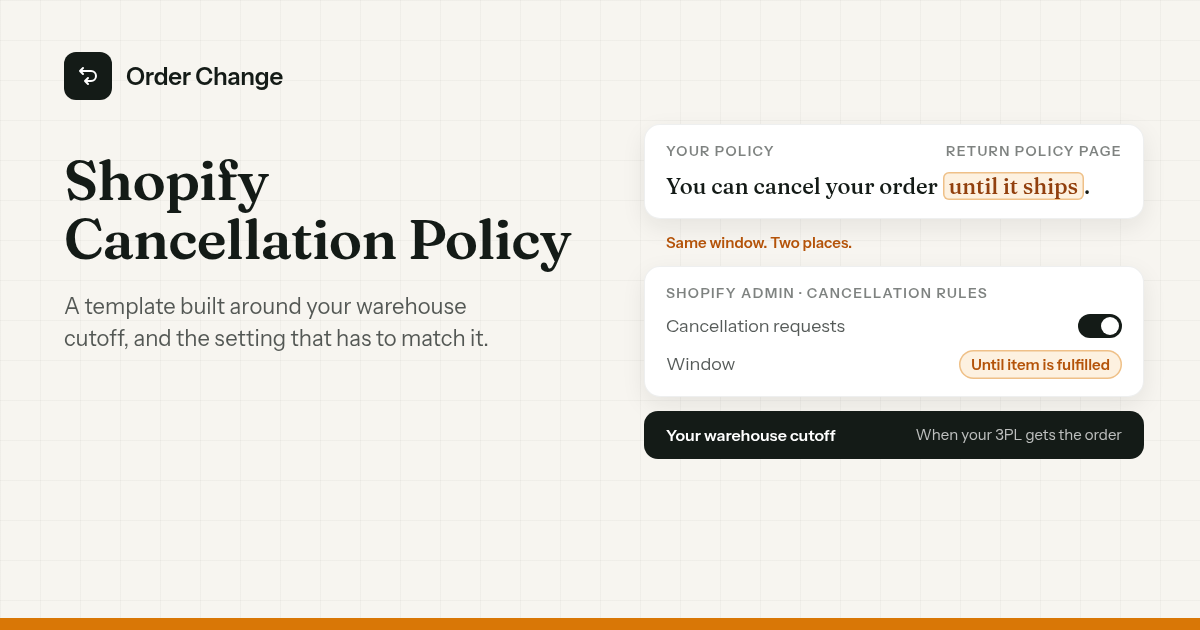
The short version. Shopify doesn't have a cancellation policy slot. Its written policies are return, privacy, terms of service, shipping, legal notice and subscription. So put your cancellation wording in your return policy, or on a page of its own, and link it where customers look. Then set Shopify's Cancellation rules to the same window, so the setting and the words agree. Build that window around when your warehouse actually gets the order, not around a round number.
Why the policy and the setting have to match
Two things decide what a customer can do. One is what you wrote. The other is the Cancellation rules setting, which sets how long after placing an order a customer can request a cancel.
If they disagree, the customer gets two answers. The page says one thing, and their account lets them do another.
Whatever you publish, you have to follow. Shopify Help says it plainly: "Although Shopify can generate templates, you're responsible for following your published policies."
One more thing the wording has to get right: a request still isn't a cancel. Cancellation rules decide when a customer can ask, and someone on your team still acts on it. The setup, and the gap between a request and a cancel, are in how to let customers cancel their own Shopify orders.
Write it around your real cutoff
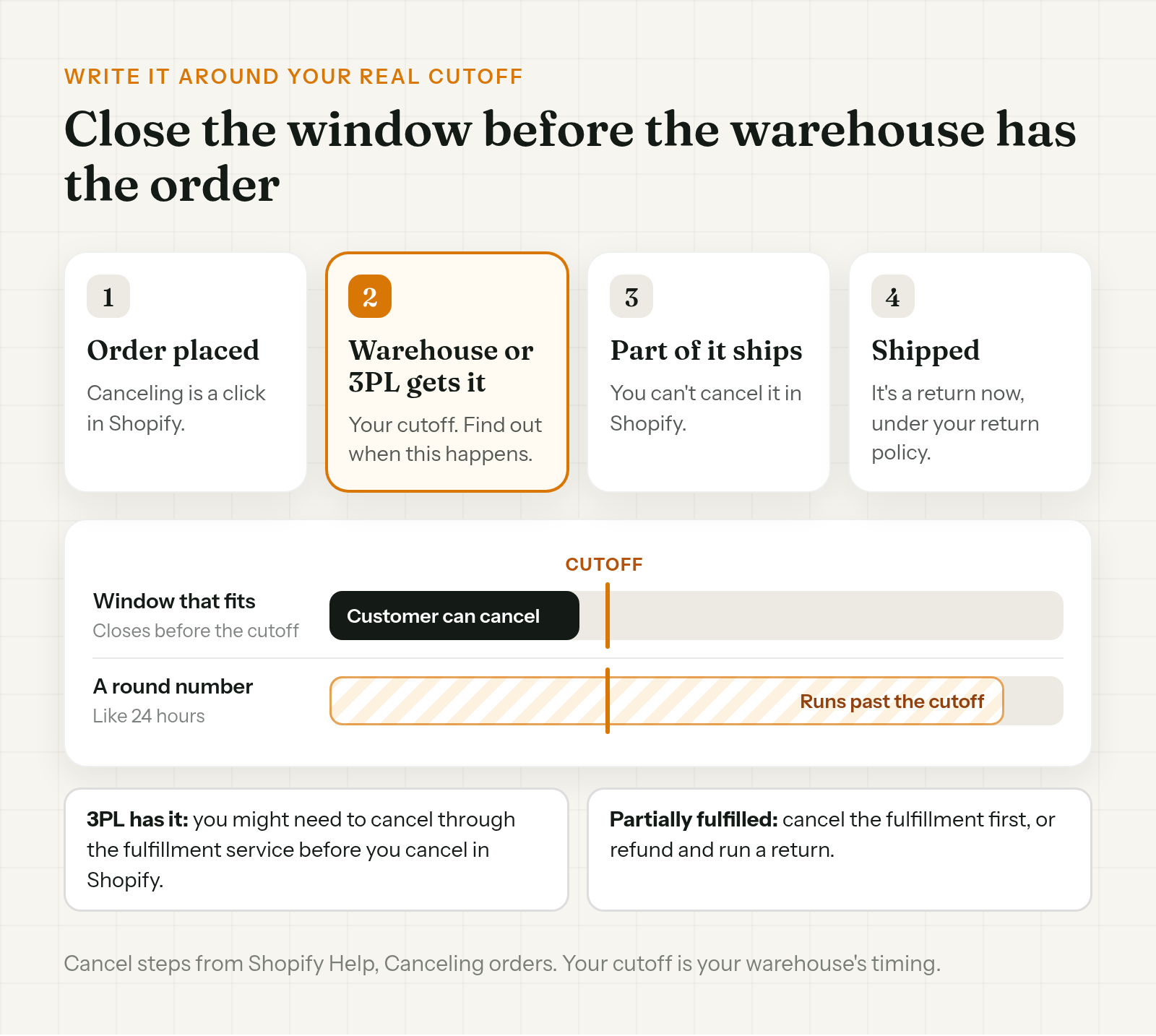
If you're working out how to write a cancellation policy for an online store, start here. The real limit on canceling is when the order reaches your warehouse or 3PL. Before that, it's a cancel in Shopify. After that, it gets harder.
- Your 3PL has it. Shopify Help notes you might need to cancel through the fulfillment service before you cancel in Shopify.
- Part of it has shipped. After an order is partially fulfilled, you can't cancel it in Shopify. You cancel the fulfillment first, or refund and run a return.
So find out when your warehouse picks up new orders. Ask your 3PL, or check your shipping app. That time is your cutoff, and your policy window should close before it.
A round number like 24 hours sounds generous. If the warehouse has the order within 2 hours, it's a promise you can't keep. If you want a longer window than your warehouse allows, the orders have to wait before they reach it.
An order cancellation policy template you can copy
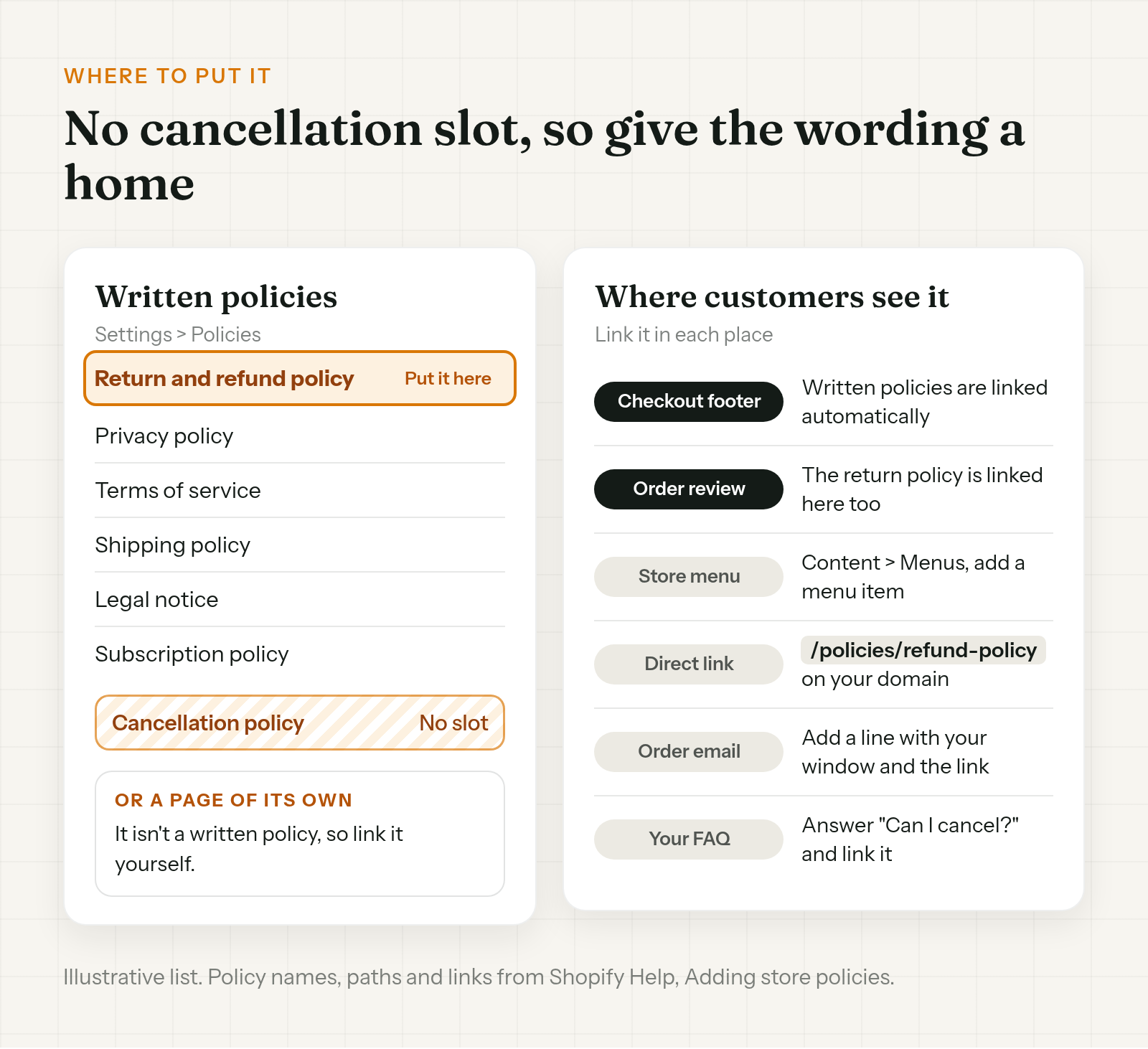
Fill in the brackets. Keep each line true for your store, and delete any line that doesn't apply.
This is a policy template, not legal advice, so check your local rules before you publish it.
Cancellation policy
- When you can cancel. You can cancel your order [until it ships] / [within [time] of placing it, as long as it hasn't shipped].
- How to cancel. [Cancel from your order status page] / [Request a cancel from your account] / [Email us at [email] with your order number]. We'll email you when it's done.
- What you get back. We refund the full amount to your original payment method. When it shows up depends on your bank.
- If your order has already shipped. We can't cancel it. You can return it under our [return policy].
- If part of your order has shipped. We can't cancel the whole order. [We'll refund the items that haven't shipped, and you can return the rest under our return policy.]
- Items you can't cancel. [Final sale items] / [custom or personalized items] / [pre-orders].
- Subscriptions. Canceling a subscription is covered in our [Subscription policy].
- Questions. Contact us at [email or contact page] with your order number.
A few notes on filling it in.
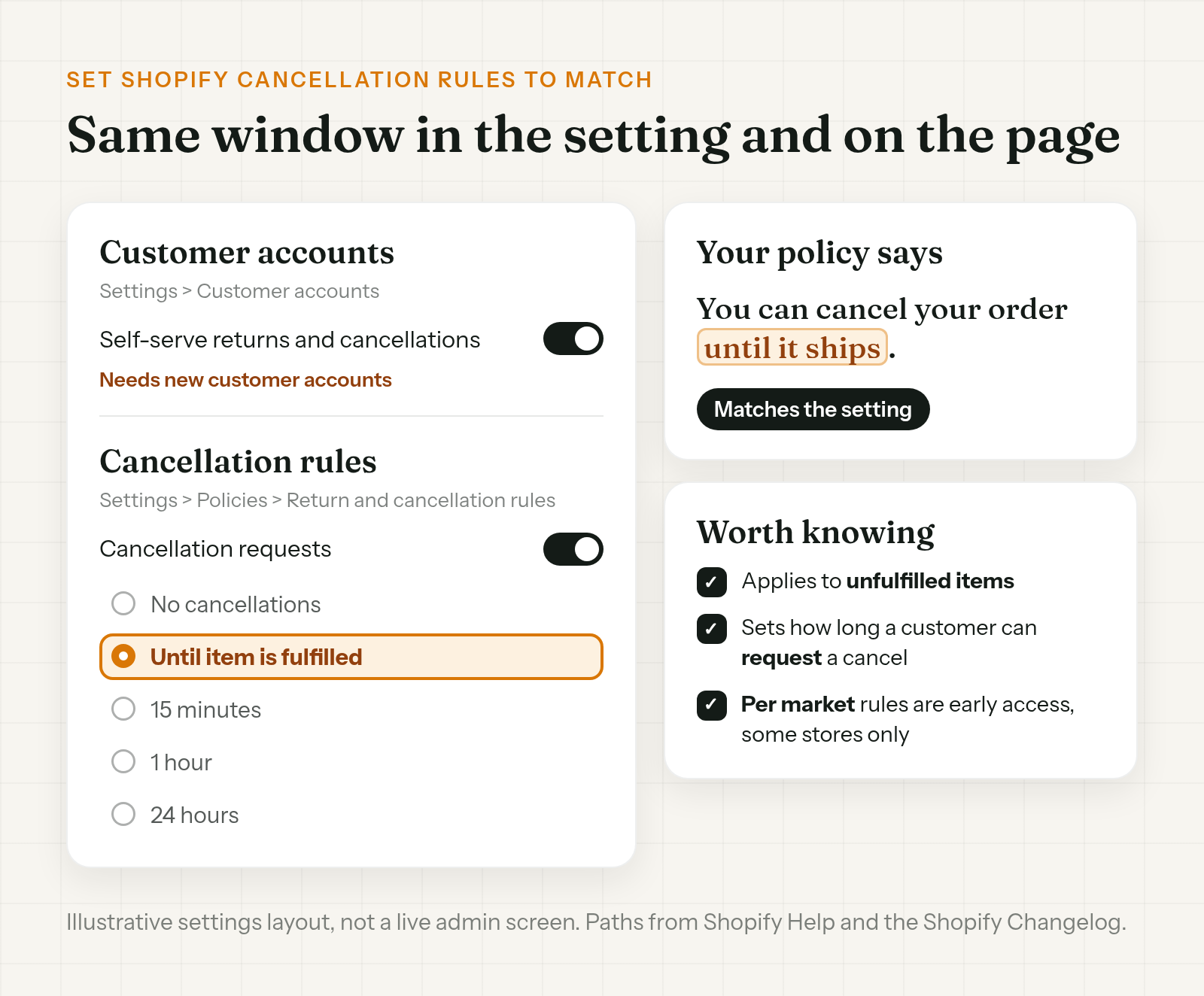
- The window. Use the exact window you'll set in Cancellation rules. "Until it ships" lines up with the Until item is fulfilled option. A fixed time lines up with a timed window.
- How to cancel. If customers go through their account, it's a request. Say so, and say you'll confirm when it's done.
- Items you can't cancel. Shopify lets you set products or collections as final sale, so they can't be returned or canceled. List the same items here.
- Subscriptions. They're handled separately. If your subscription app's cancellation policy is blank, Shopify shows a generated one and links it at checkout as "Subscription policy".
On the refund line, Shopify refunds a paid, unfulfilled order to the original payment method by default. You can also pick store credit, or Later. Before you promise a full refund, know that card transaction fees aren't returned to you when you refund. Keep timing out of the policy, since the bank decides when the money shows. For what to tell a customer who's still waiting, see Shopify refund pending.
On the already-shipped line, a shipped order is a return, so that clause points to your return policy. If a cancel and a shipment cross, and the order is canceled in Shopify after your 3PL already sent it, see what to do when a Shopify order is canceled but still shipped.
Where to put a cancellation policy on Shopify
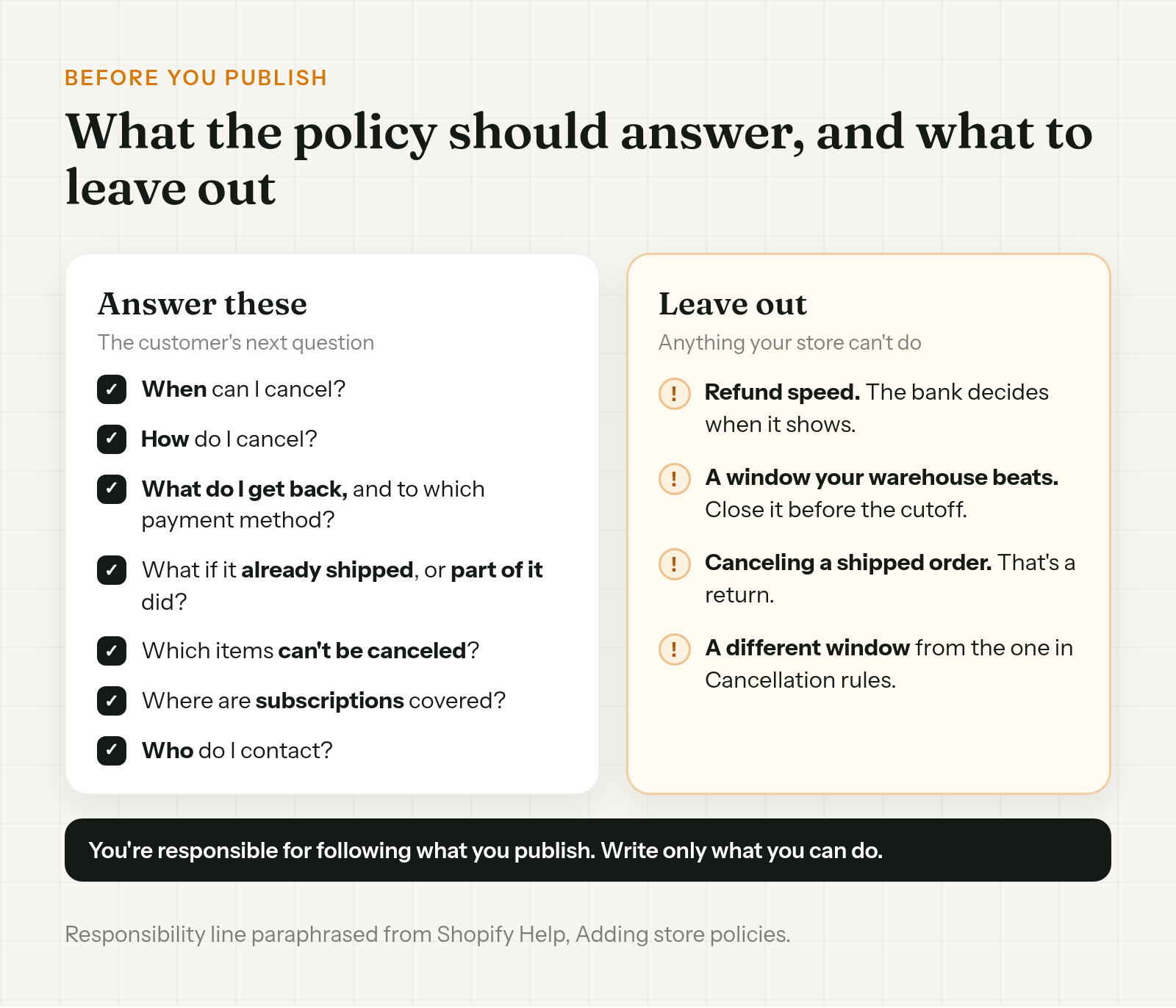
There's no cancellation slot, so the wording needs a home. You have two options.
- Your return policy. Go to Settings > Policies > Written policies, pick Return and refund policy, add the text and save. Shopify's self-serve setup page suggests adding how return and cancellation requests work to your refund policy or a page. The direct link is
/policies/refund-policyon your domain. - A page of its own. It isn't one of Shopify's written policies, so you link it yourself.
Then put it where customers will see it:
- Checkout footer. Shopify links your written policies there automatically. The return policy is also linked on the order review page.
- Store menu. Shopify suggests linking policies in your menus too. Go to Content > Menus and add a menu item.
- Your FAQ. Answer "Can I cancel my order?" in one line and link the policy.
- Order confirmation email. Add a line with your window and the link. That way the answer is in an email the customer already has.
Set Shopify cancellation rules to match
The policy is the words. The setting is what customers can actually request. Two places:
- Turn on self-serve requests. Go to Settings > Customer accounts and turn on Self-serve returns and cancellations. This needs new customer accounts.
- Set the window. Go to Settings > Policies > Return and cancellation rules. Under Cancellation rules, turn on cancellation requests, pick a window and save.
Until item is fulfilled is one window option. Shopify also lists No cancellations, 15 minutes, 1 hour and 24 hours. Pick the one that matches your policy.
A few details:
- Unfulfilled items only. Cancellation rules apply to items that haven't been fulfilled.
- Per market. Some stores can also set cancellation rules per market, with a storewide default. It's in early access, so not every store has it. If yours does and your markets have different cutoffs, your written policy needs to say so too.
- Link the account page. Shopify suggests linking the customer accounts URL from your refund policy, so customers can find where to ask.
Let customers cancel without waiting on you
A request waits for your team. If you'd rather the cancel happen when the customer clicks, an app can do that.
Order Change lets customers cancel the whole order themselves: on the Thank You page with no login, whatever account type your store uses, or from the Order Status page if you use new customer accounts. It's a cancel, not a request. The order is canceled and refunded in Shopify straight away.
The cancel option closes once the order ships or the store's cancellation window ends, a window each merchant sets (30 minutes by default). If your written policy has a cutoff, keep the app's window inside it. Either way, the window is your rule.
There's also an optional fulfillment hold, off by default, that keeps new orders out of the warehouse, if your 3PL reads On hold. It doesn't send anything to your 3PL. So a policy that says "until it ships" still depends on catching the order before your warehouse does. More at orderchange.com.
Check these either way
- Notifications and restocking. When you cancel in Shopify, the customer is notified and items are restocked by default. Check both when you cancel.
- Languages. Shopify generates policy templates only in English for English checkouts, with some in French, Italian and Spanish. For other languages, you write your own.
- Change both together. If you change the window in Cancellation rules, update the written policy the same day.
- Final sale items. Mark them in Shopify and list them in the policy.
FAQ
Does Shopify have a cancellation policy template?
Not a dedicated one. Shopify can generate return, privacy, terms of service, shipping, legal notice and subscription policies, but there's no cancellation slot. Use the template above and add it to your return policy or a page.
Where do I put a Shopify cancellation policy?
In your return policy (Return and refund policy, under Settings > Policies > Written policies), or on a page of its own. Shopify links written policies in the checkout footer automatically. Link a separate page yourself, from your menu, your FAQ or your order confirmation email.
Can customers cancel their own Shopify order?
They can request a cancel for unfulfilled items, if your store uses new customer accounts and Self-serve returns and cancellations is on. A request isn't a cancel. Someone on your team still acts on it.
Can I cancel an order that's partly shipped?
Not in Shopify. After an order is partially fulfilled, you can't cancel it. Cancel the fulfillment first, or refund and run a return.
Do I get card fees back if I cancel and refund?
No. Shopify Help says card transaction fees aren't returned when you refund an order.
How long should my cancellation window be?
As long as your warehouse allows. Find out when your warehouse or 3PL picks up new orders, close the window before then, and set the same window in Cancellation rules.
A Shopify cancellation policy has no slot of its own, so it lives in your return policy or on a page you link. Write the window around when your warehouse gets the order, and set Cancellation rules to match, so customers get one answer.
For stores that want customers to cancel on their own click, see orderchange.com.
Related: let customers cancel
To set up self-serve cancellation and see how a request differs from a cancel, see How to let customers cancel their own Shopify orders.
Related: refund pending
For refund timing and what to tell a customer who hasn't seen their money, see Shopify refund pending? What to check.
Related: hold fulfillment
To keep orders out of the warehouse while customers can still cancel, see Hold fulfillment on Shopify during order edits.