Wrong ZIP Code on a Shopify Order? Fix It Before It Ships
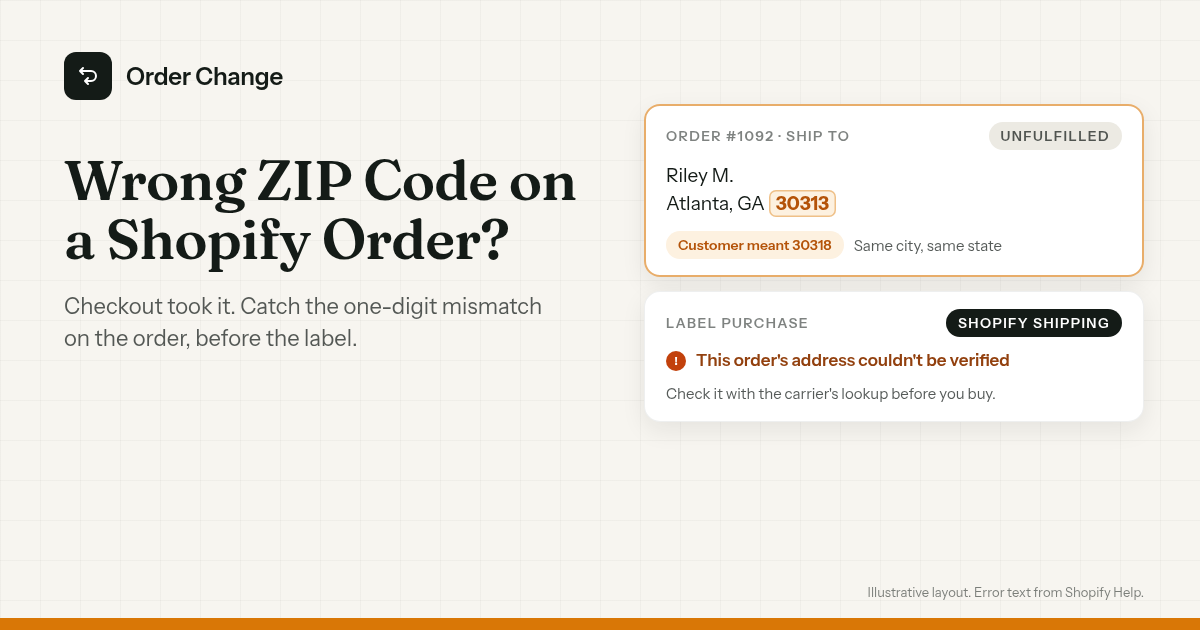
Order #1092. The ship-to address says Atlanta, GA 30313.
The customer lives in 30318. One digit is off, and nothing on the order looks wrong.
A wrong ZIP code on a Shopify order is easy to miss, because the street and the state can both be right. Checkout took it, and the label might still buy.
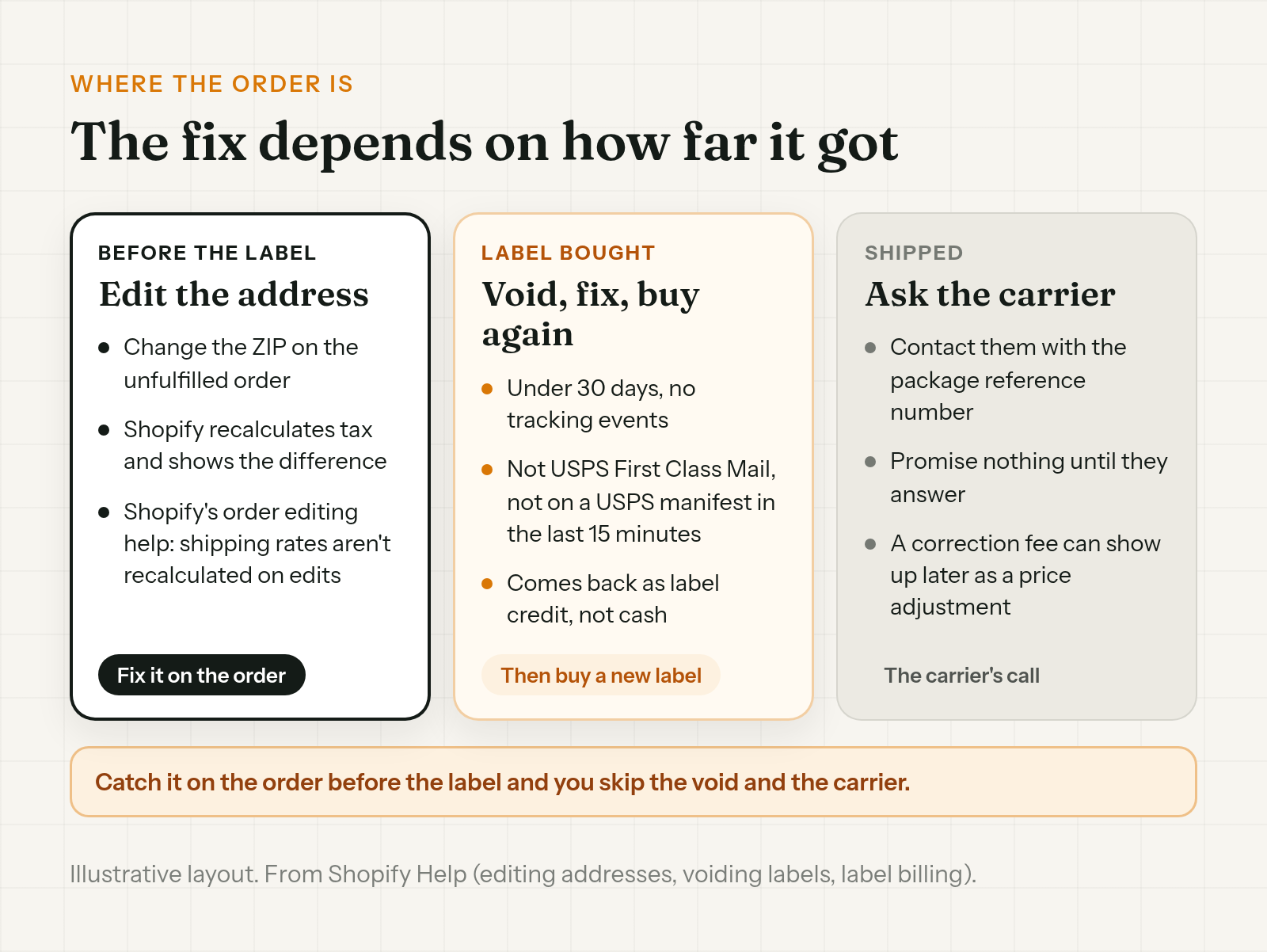
The short version. If it hasn't shipped, fix the ZIP on the order before you buy the label. If the label exists, void it and buy a new one. If it has shipped, it's the carrier's call now. Before any of that, use Shopify's address warning and a ZIP lookup to catch it.
What a wrong ZIP code does to a parcel
A wrong ZIP can still arrive. It just takes a detour, and nobody promises the ending.
- USPS. When the ZIP doesn't match the city and state, USPS sends the mail to the post office for the ZIP first. If it can't be delivered there, it's forwarded to the post office for the city and state.
- UPS. UPS's rate guide says "An Address Correction charge will be assessed to the shipper" when it corrects or completes an address.
- Your Shopify bill. If a carrier charges for an address correction on a Shopify Shipping label, it shows up as a price adjustment in the order's timeline and on your next bill. Shopify says that can be days or weeks after you bought the label.
Why checkout didn't catch it
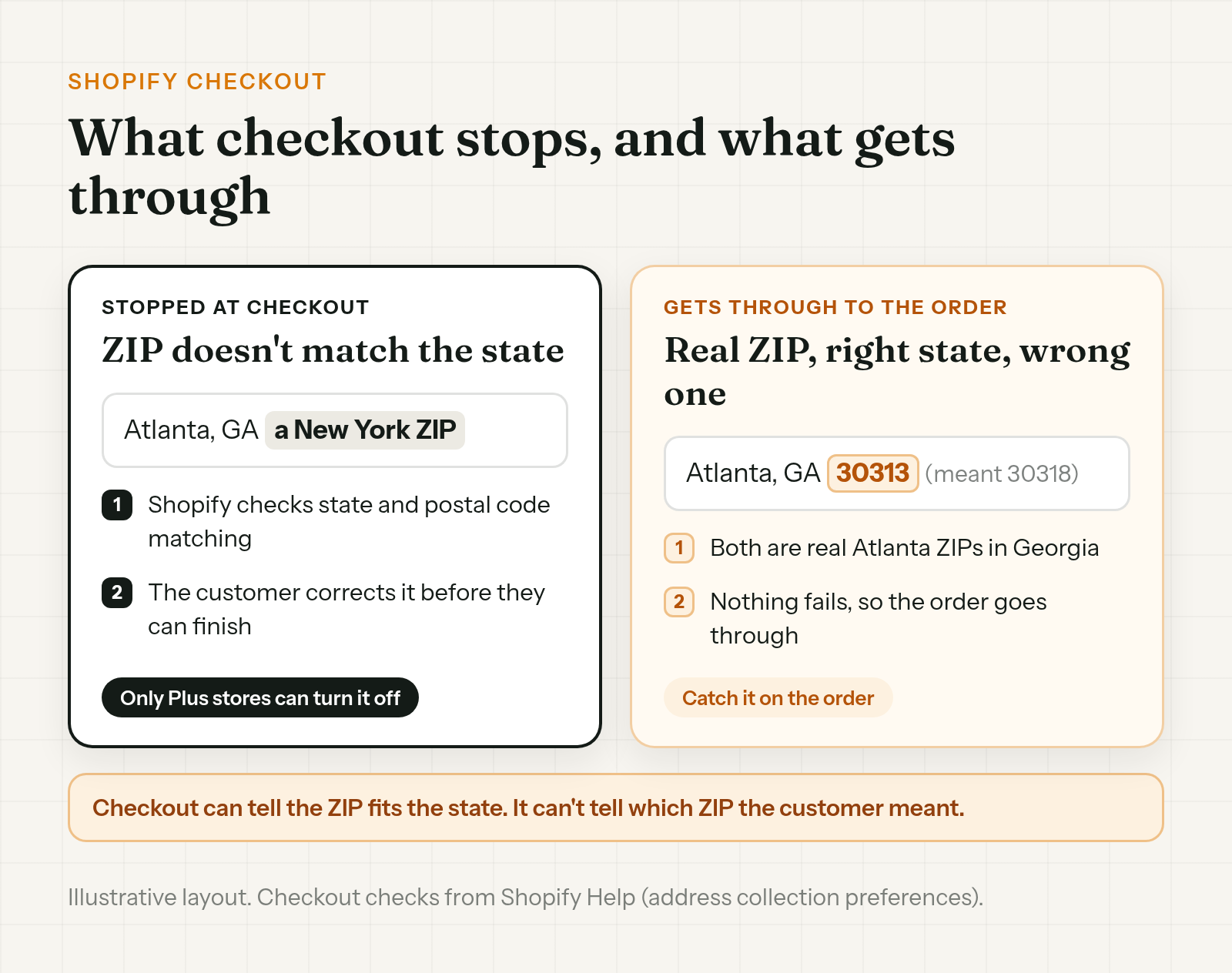
Shopify checkout already stops a ZIP code that doesn't match the state. Shopify says checks "such as state or province and postal code matching" apply to all regions and "can't be deactivated unless the store is on the Shopify Plus plan." If the address fails, the customer has to correct it before they can finish checkout.
So the one that gets through is a real ZIP, in the right state, that's just the wrong one. 30313 instead of 30318 passes, because both are real Atlanta ZIPs in Georgia.
That's why you catch it on the order, not at checkout.
Spot a wrong ZIP before you buy the label
Start with Shopify's own warning, then check the ZIP yourself.
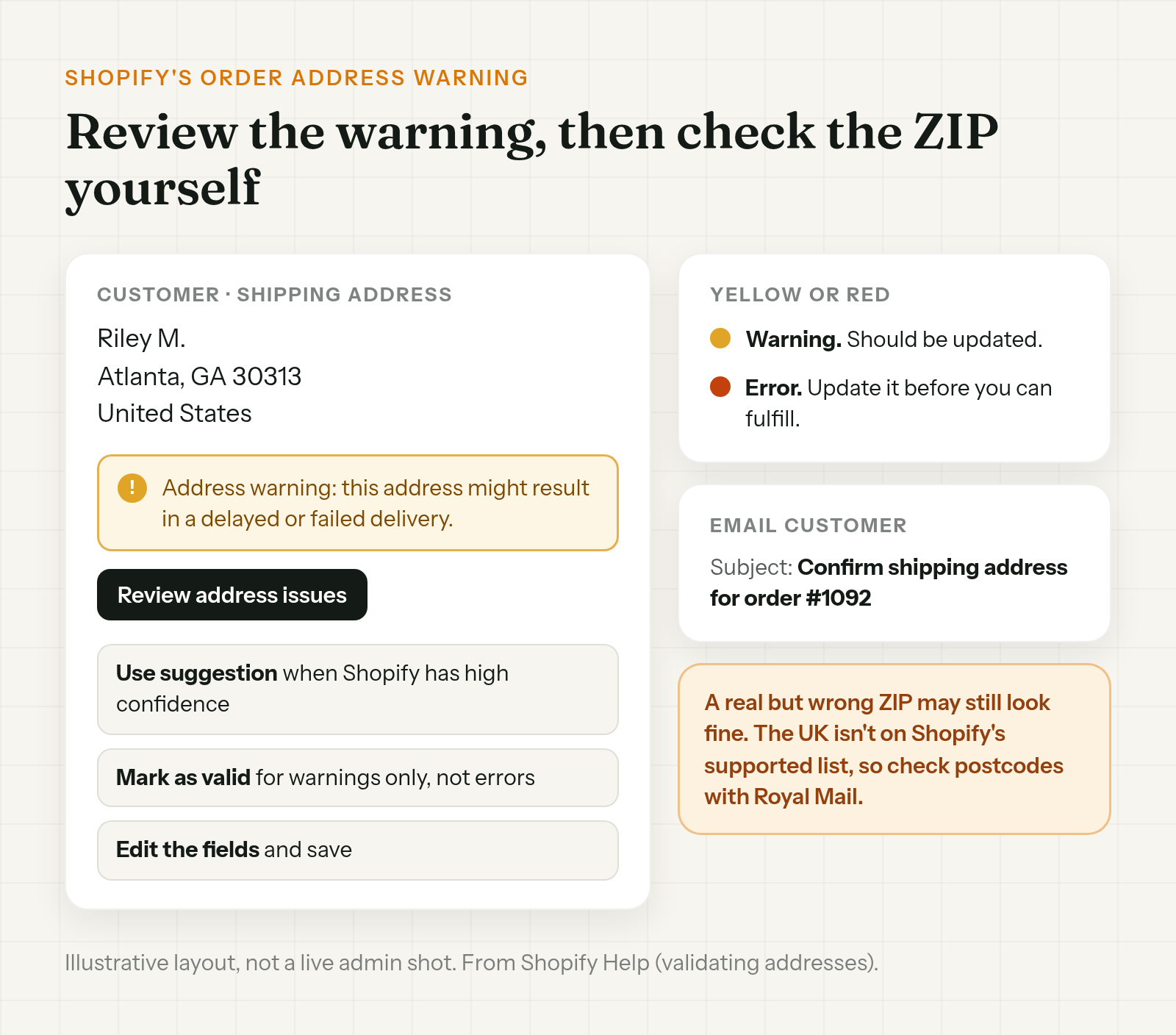
Shopify's address warning. Shopify validates the shipping address on online orders automatically and saves the result on the order. Shopify says it's "always active."
- Yellow warning. It "might result in a delayed or failed delivery and should be updated."
- Red error. It's "very likely to result in a delayed or failed delivery." You need to update the address before you can fulfill the order.
To find them, filter the Orders list by Address validation, then Has issues. To clear one, open the order, and in the Customer section, under Shipping address, click Review address issues. From there you can:
- Use suggestion. Shopify offers one "when there is high confidence."
- Mark as valid. Only for warnings, not errors.
- Edit the fields and save.
There's also an Email customer button, prefilled with the subject "Confirm shipping address for order #XXXX".
Don't lean on the warning alone. It can flag an address it thinks won't deliver. A ZIP that's real but wrong may still look fine to it.
Check the ZIP yourself. Look it up with USPS Look Up a ZIP Code. Does the ZIP fit the street, city and state? Don't guess from the city name, though. USPS says ZIP codes "do not necessarily adhere to city or municipal boundaries," so a ZIP that doesn't match the city name isn't proof it's wrong.
UK and Canadian orders. When a customer entered the wrong postcode on a UK Shopify order, Shopify's warning may not help much. The UK isn't on Shopify's list of supported countries, and orders from unsupported countries can get fewer specific suggestions. Check the postcode with Royal Mail's Postcode Finder. A new build might not be in Royal Mail's database yet, so a postcode it can't find may still be right. For Canada, use Canada Post's Find a Postal Code.
Not sure? Ask. Shopify's own advice is to contact the customer to confirm their address before fulfillment. You can paste this into the Email customer message:
Hi Riley, quick check before we ship order #1092. Your address says Atlanta, GA 30313, but the street looks like it might be in 30318. Can you reply with the right ZIP code? We'll fix it before the label prints.
For a UK order:
Hi Riley, before we ship order #1092, can you check your postcode? We have XX1 1XX and want to be sure it's right. Reply with the correct one and we'll update it before the label prints.
"Address couldn't be verified" when you buy a Shopify label
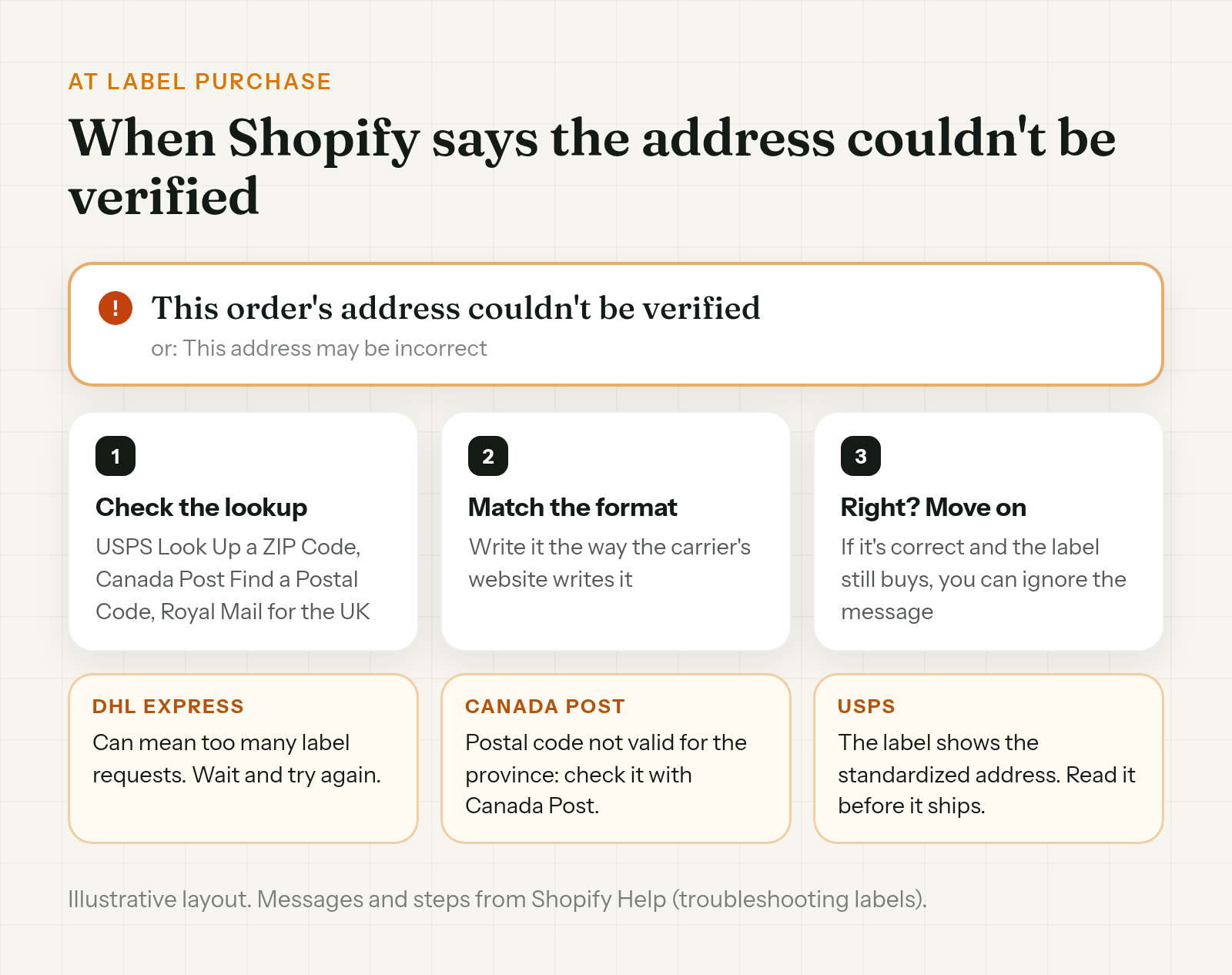
Sometimes the first sign is at label purchase. Shopify's wording: "If you get an error message saying This order's address couldn't be verified or This address may be incorrect, then an address you're using might be incorrect."
What to do:
- Check it with the carrier's lookup. Shopify lists USPS Look Up a ZIP Code for the US, Canada Post's Find a Postal Code for Canada and Royal Mail for the UK.
- Match the carrier's format. Shopify says the address needs to be formatted the same way it's written on the carrier's website.
- If it's right, you can move on. Shopify says that if you've verified the address, or you know it's correct, and you can still buy the label, you can ignore the message.
Two carrier notes:
- DHL Express. Shopify's troubleshooting page says the DHL Express message "Something went wrong. Try again. This order's address couldn't be verified" can mean there were too many label requests to DHL. Wait a moment and try again. It may not be about the ZIP at all.
- Canada Post. "The Postal Code is not valid for the selected province" is specific to Canada Post label purchases. Check the postal code with Canada Post's lookup tool.
On a USPS label, read the address before it goes on the box. Shopify says USPS validates and standardizes the address when you buy the label, and the label shows the validated address. If that doesn't match where the parcel should go, confirm with the customer. Shopify also says "USPS doesn't provide liability coverage for packages delivered to validated addresses that differ from the original address."
Fix the ZIP before it ships
On an unfulfilled order, edit the shipping address in the Customer section of the order and save. The full steps, including a label that already exists or a 3PL that has the order, are in how to change a shipping address on Shopify after an order.
Two things to know when the fix is a ZIP, from Shopify Help:
- Tax is recalculated. When you change the shipping address on an unfulfilled order, Shopify recalculates tax for the new destination. The Summary card in the Edit shipping address dialog shows the previous tax, the new tax and the difference. If the new tax is higher, you can send the customer an invoice or track it to collect later. If it's lower, you can refund the difference after saving.
- The shipping charge. Shopify's address edit page only talks about tax. Its order editing page says shipping methods and rates aren't recalculated when you edit an order, and you can add a custom shipping charge.
Then check that your 3PL or shipping app has the new ZIP. If your warehouse picks up orders fast, a manual hold on the order in Shopify keeps it off the pick list while you sort it out, if your 3PL reads Shopify's On hold status. Setup is in how to hold fulfillment on Shopify during order edits.
Already bought the label? Void it and buy a new one
Shopify's route is to void the label, fix the order details, and buy the label again. You can void a label if it:
- isn't older than 30 days from purchase
- has no tracking events
- wasn't bought with USPS First Class Mail
- wasn't added to a USPS manifest in the last 15 minutes
The cost comes back as a shipping label credit on your Shopify account, used on future labels. It isn't cash back to your card. Shopify doesn't give a timing for the credit.
If the label can't be voided, the replacement label route is in the address change guide above.
Already shipped? Talk to the carrier
Once it's moving, changing the order changes your records, not the parcel. Shopify's advice is to contact the carrier with the package reference number. Ask what they can do for that service, and promise the customer nothing until they answer. Any address correction fee can show up later as a price adjustment.
Stop the next one at checkout
You can't stop a real ZIP that's simply wrong. You can make checkout a little stricter.
- Validate shipping address. Go to Settings > Checkout > Advanced preferences > Address collection, check Validate shipping address and save. Shopify offers suggestions when it has high confidence. It uses the same country list as the order warning, so the UK isn't on it. Use Shopify's setting or a third-party validation app, not both.
- Block ZIP ranges you don't ship to. Shopify's address format validation rule can block specific ZIP or postal codes, with wildcards like
100**for 10000 to 10099. Shopify's changelog says it's available to all merchants. It's a format rule. It won't catch a one-digit-off ZIP that's still real. It saves as Inactive until you set it to Active, and it checks shipping addresses only. Setup is in how to set up Shopify's address format validation rule.
Let the customer fix it right after checkout
Everything above is Shopify's checks or your team's. This part is about the one person who knows the ZIP: the customer.
Order Change lets shoppers fix the delivery address within the store's edit window, before anything ships. Right after checkout, they can do it on the Thank You page with no login. A shopper who spots the wrong ZIP in the confirmation email can correct it from the Order Status page, while the store's edit window is still open. Where the store turns it on, a fulfillment hold keeps the order from shipping until that window closes. It doesn't make the window any longer, and it only works if your 3PL reads On hold.
By default, the app won't spot a wrong address, so the customer has to notice. Changing the address doesn't change what the customer paid for shipping. It doesn't update a label you've already bought, and it doesn't notify your 3PL directly. More at orderchange.com.
Check these either way
- Red errors. You can't fulfill until the address is updated.
- UK postcodes. Expect fewer suggestions from Shopify. Check them in Royal Mail's Postcode Finder.
- The USPS label. Read the standardized address before it goes on the box.
- DHL Express errors. Try again after a short wait before you chase the ZIP.
FAQ
Can I change the ZIP code on a Shopify order after it's placed?
Yes. Do it while it's unfulfilled, so tax updates and the label goes to the right ZIP. Edit the shipping address in the Customer section of the order and save. If you've already bought a label, void it first and buy a new one after the fix.
Does Shopify recalculate tax or shipping when I change the ZIP?
Tax, yes, on unfulfilled orders. Shopify shows the previous tax, the new tax and the difference. For shipping, Shopify's order editing help says rates aren't recalculated when you edit an order, but you can add a custom shipping charge.
Why does Shopify say the address couldn't be verified?
The address might be wrong. Check it with the carrier's lookup and match the carrier's format. If it's correct and you can still buy the label, Shopify says you can ignore the message. With DHL Express, a similar message can mean too many label requests.
Doesn't Shopify check that the ZIP code matches the state?
Yes, at checkout. Shopify says the check "can't be deactivated unless the store is on the Shopify Plus plan." A real ZIP in the right state can still be a wrong ZIP code on a Shopify order, so check it on the order.
My customer entered the wrong postcode in the UK. Does Shopify flag it?
Not reliably. The UK isn't on Shopify's address validation list, so expect fewer suggestions. Check the postcode with Royal Mail's Postcode Finder, and ask the customer if you're unsure.
I already bought the label. Can I get the money back?
Void it if it meets Shopify's rules, such as under 30 days old with no tracking events. The cost comes back as a shipping label credit for future labels, not cash.
A wrong ZIP code on a Shopify order gets past checkout when it's real and in the right state. Catch it on the order with Shopify's address warning and a ZIP lookup, and fix it before you buy the label. If the label exists, void it and buy a new one. If it shipped, ask the carrier.
For stores that want customers to fix their own ZIP within the store's edit window, see orderchange.com.
Related: change a shipping address
For the full edit, label void and 3PL steps, see How to change a shipping address on Shopify after an order.
Related: missing apartment number
For a blank address line 2 and fixing it before the label prints, see Missing apartment number on a Shopify order.
Related: block PO boxes
For Shopify's address format validation rule and how to switch it on, see How to block PO box addresses on Shopify.