How to Change a Customer Name on a Shopify Order (and Which Name to Fix)
By Sam Hale, Order Change team · Updated
Order #1131 is going to Jonh Smith.
His name is John. The customer misspelled the name at checkout, and Shopify took it as typed.
When a customer misspelled their name on a Shopify order, the fix is quick, but only if you change the right name. To change a customer name on a Shopify order so it reaches the parcel, edit the name in the shipping address, before you buy the label.
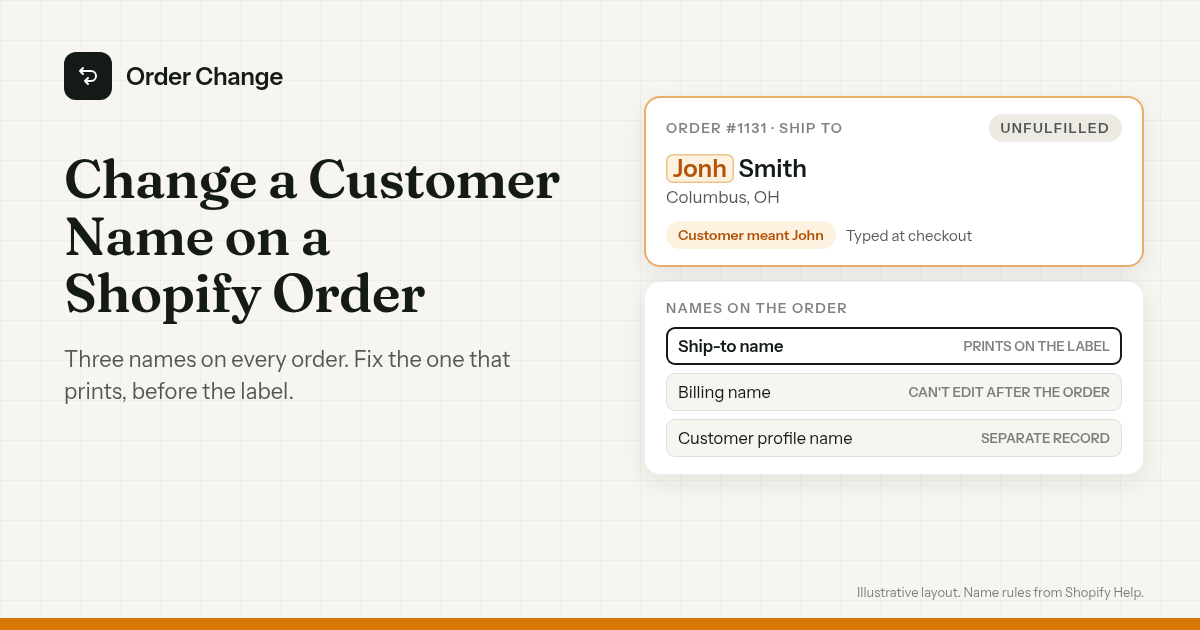
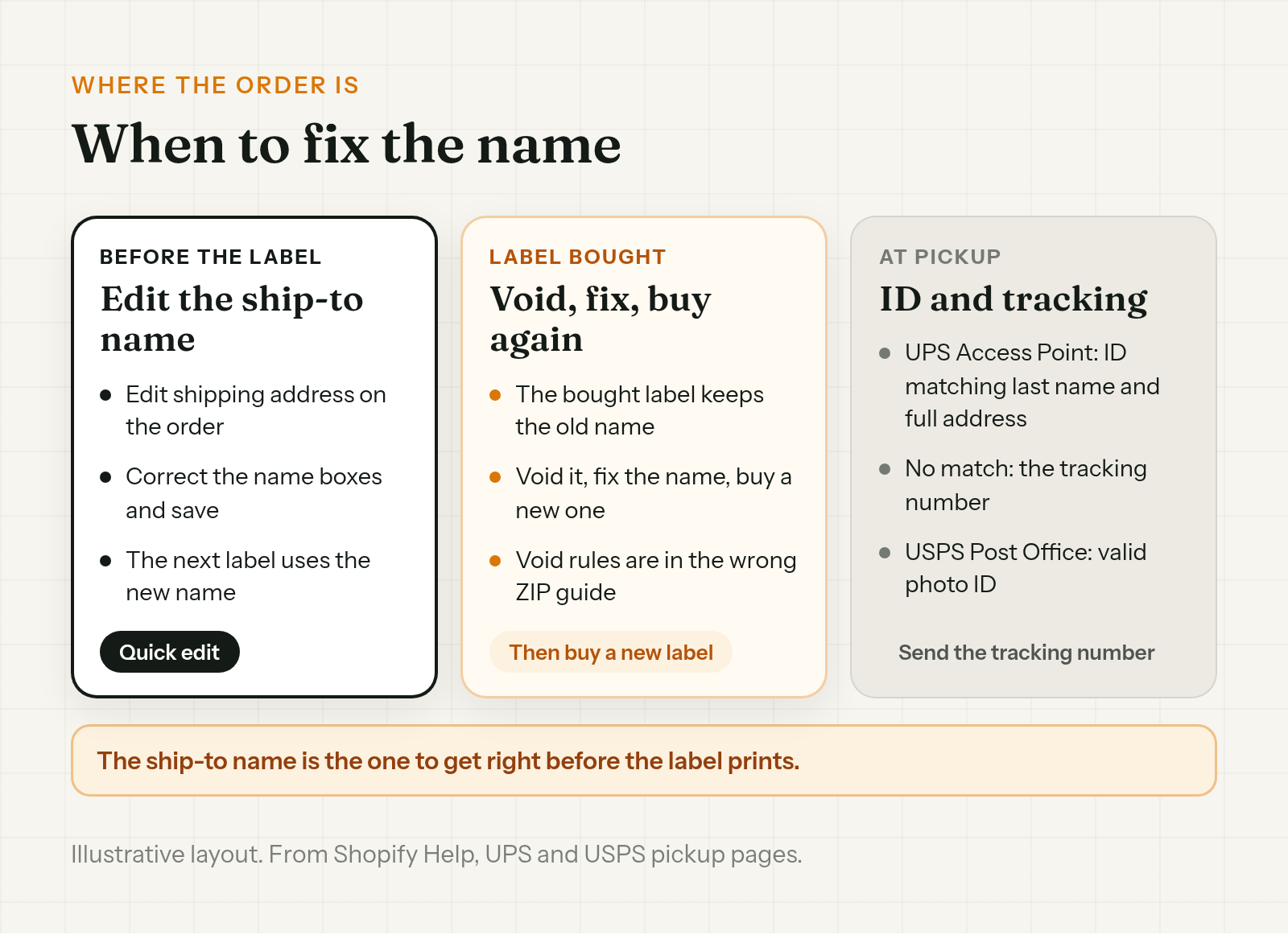
The short version. The name on the parcel comes from the shipping address, so fix the name there while the order is unfulfilled. Shopify won't let you edit the billing name after the order. The customer profile is a separate record. If the label's already bought, void it and buy a new one after the fix.
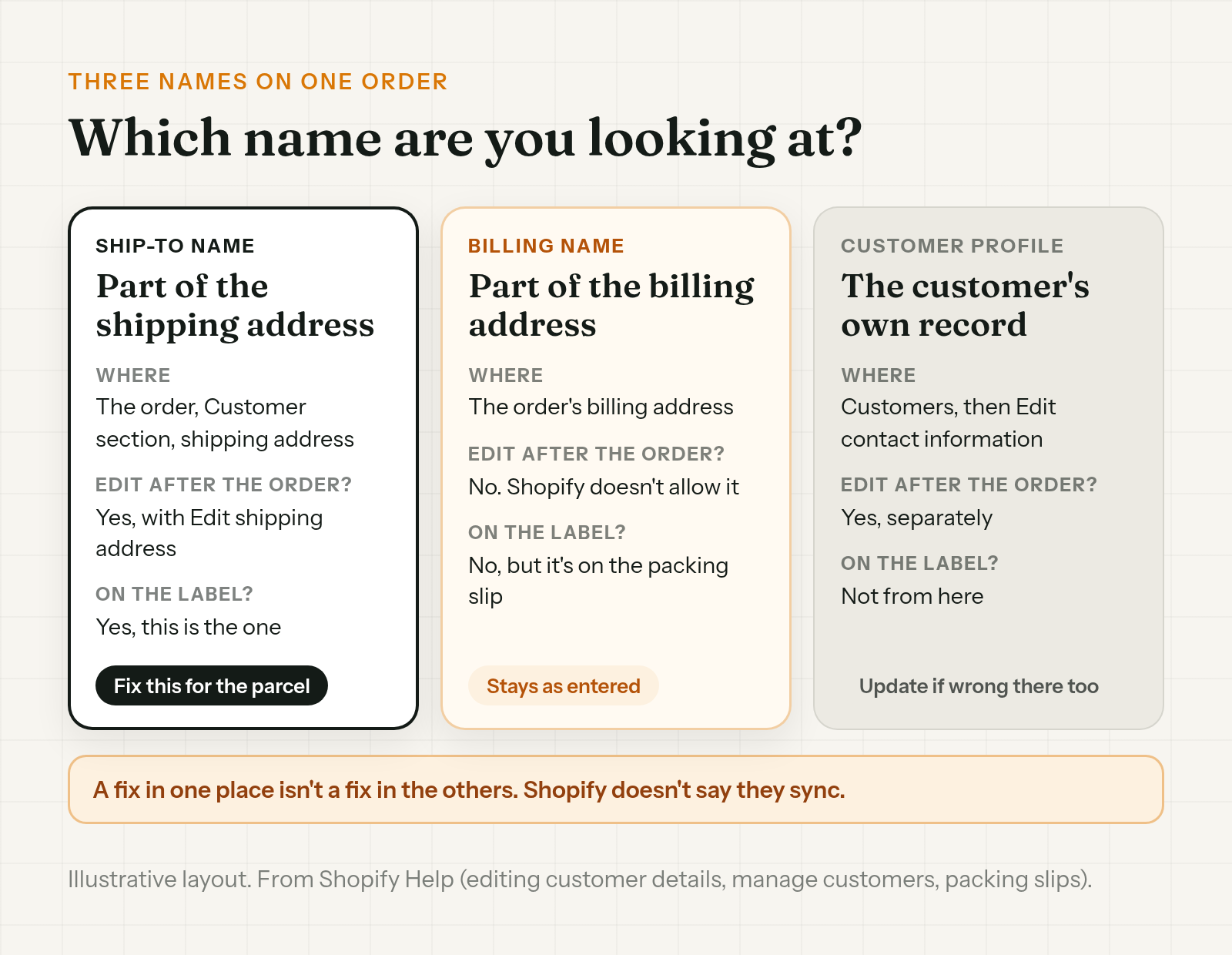
A wrong name on a Shopify order can sit in three places
Shopify keeps more than one name on an order, and they don't have to match.
- The ship-to name. It's part of the shipping address, in the first and last name boxes. This is the name the label is built from.
- The billing name. It's part of the billing address. Shopify says you can update the shipping address and contact details after an order is placed, "but you can't edit the billing address." It still shows on the packing slip, since Shopify says "Packing slips include shipping and billing addresses."
- The customer profile name. It lives on the customer's record, under Customers, in the First name and Last name boxes. Shopify says "Orders are permanently associated with the customer account that placed them," but the profile and the order's addresses are edited in different places.
So a wrong name on a Shopify order can be a typo in any of the three. The one that matters for delivery is the ship-to name.
Which name prints on the shipping label
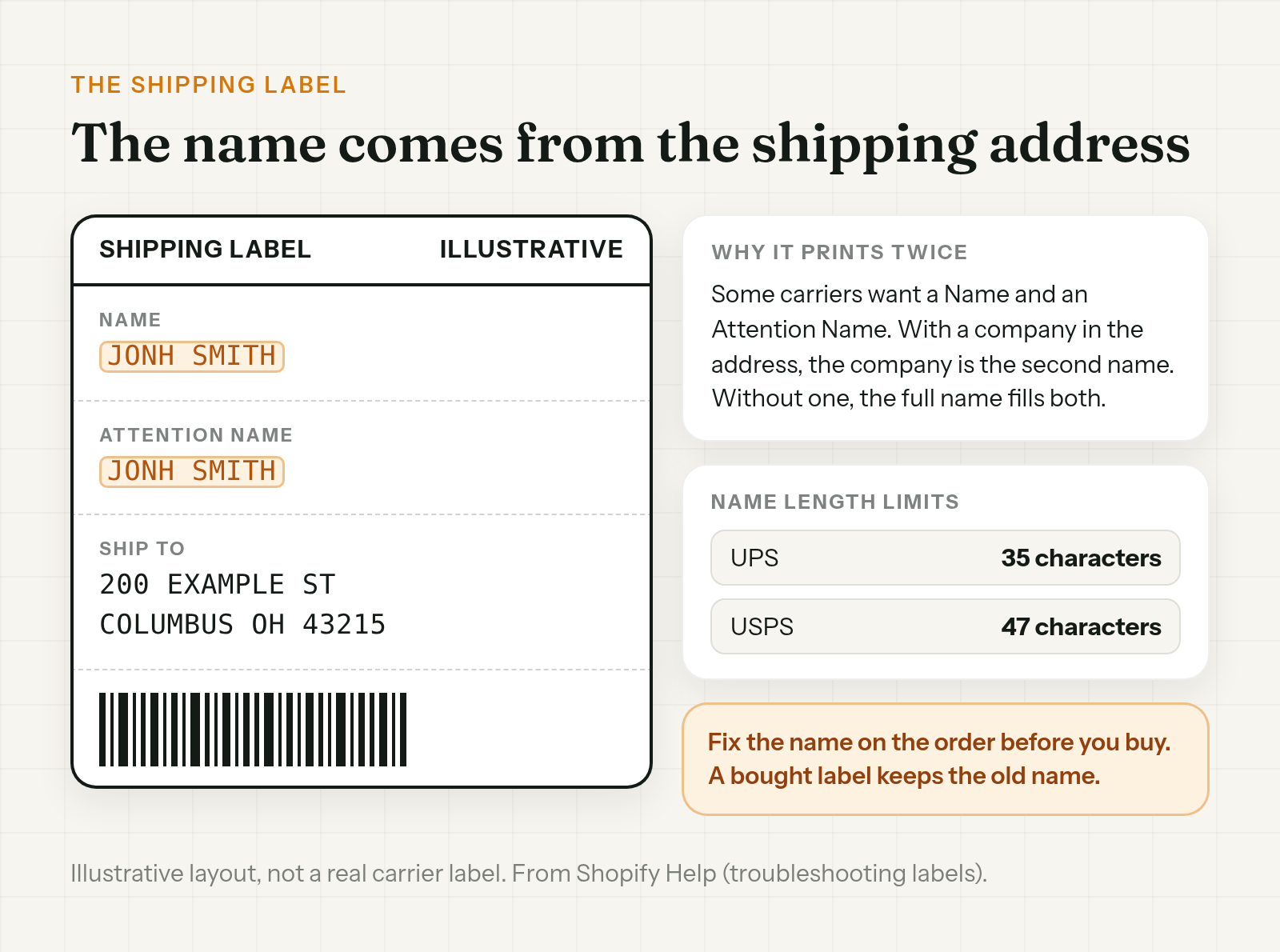
A wrong name on a shipping label in Shopify comes from the shipping address. Fix the name there, and the next label you buy uses it.
It can print twice. Shopify says "Some carriers require that both a Name field and an Attention Name field are provided." If the customer entered a company name in the shipping address, the company is used as the second name. "If no company name is provided, then the customer's full name is used for both fields." A typo with no company can show up in both lines.
Long names can run out of room. Shopify lists a Name limit of 35 characters for UPS and 47 for USPS.
Does a wrong name stop delivery?
Not on its own, if the address is right. The name starts to matter when someone has to prove who they are.
UPS Access Point pickup. In the US, UPS lists more than one way to collect. One is "a government-issued photo ID where the last name and full address (including the suite or apartment number, if applicable) on the ID match the last name and full address on the package." So a typo in the first name can still be collected. If the last name or full address doesn't match, UPS says "you'll need to provide the package tracking number."
USPS Post Office pickup. USPS says "You must present valid photo ID if you choose to pick up your mail item at the Post Office facility indicated on the notice." USPS doesn't spell out a name-match rule on that page, but the person collecting will need ID, so the name should be one they can prove.
Either way, make sure the customer has the tracking number. At UPS in the US, it's the fallback when the name doesn't match.
Fix the name on the order
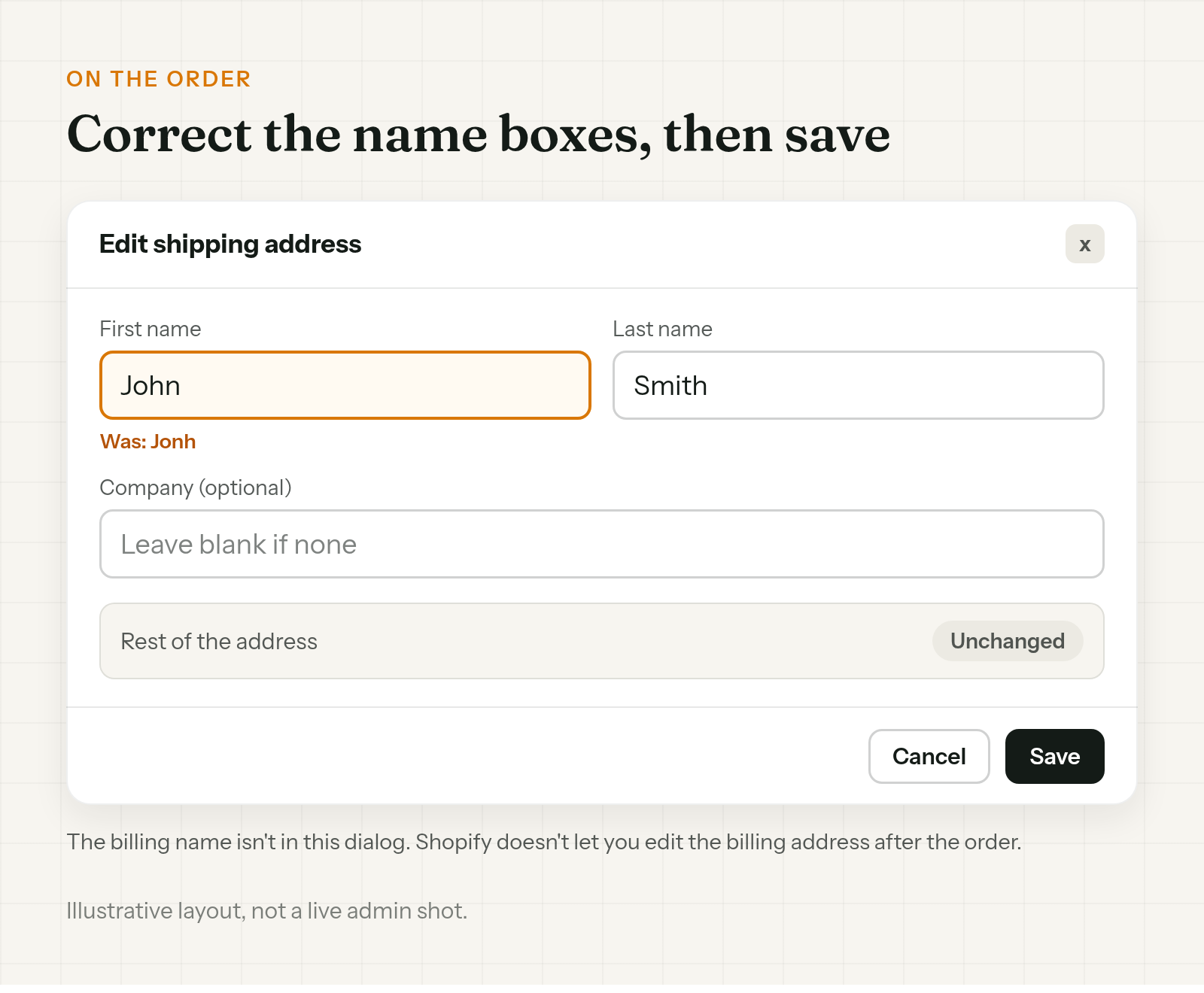
On the order, go to the Customer section, click the menu, then Edit shipping address. Correct the name fields in the shipping address and click Save. Staff need the Manage order information, Edit orders, or Fulfill and ship orders permission.
If other parts of the address are wrong too, the full edit is in how to change a shipping address on Shopify after an order.
Two names you can't fix in that dialog:
- The billing name. Shopify doesn't let you edit the billing address after the order, so the billing name stays as entered.
- The customer profile. It's a separate record. If the name's wrong there too, open the customer under Customers, then Manage, then Edit contact information, and fix First name and Last name.
A wrong email is a different edit, covered in how to change the email on a Shopify order. For every other change you can make, see how to edit a Shopify order after checkout.
Names that block a label
Some names stop Shopify from buying the label at all. For general label errors, Shopify's troubleshooting page says to remove "special characters in languages other than English, any decorative characters, or any emojis" from the customer's name.
It also says to check, in the Customers section of your admin, "that both the First Name and Last Name fields have a full name." A one-word name could be why.
And keep the 35 and 47 character limits in mind for UPS and USPS when a name is long.
Already bought the label?
A label you've already bought was printed with the old name. Fixing the order afterward doesn't reprint it. Void the label, fix the name, then buy a new one. The void rules and what comes back as credit are in what to do about a wrong ZIP code on a Shopify order.
Ask the customer when a name looks off
A typo is easy to spot. A nickname isn't wrong, but it can be a problem at pickup if it doesn't match the ID. When you're not sure, ask before the label prints:
Hi John, quick check before we ship order #1131. The parcel's going to "Jonh Smith". Is that spelled right? If it should be different, reply with your name exactly as it is on your ID and we'll fix it before the label prints.
If the buyer's own name is on a parcel meant for someone else, that's a gift order mix-up, covered in Shopify gift order wrong address.
Let the customer fix it right after checkout
Everything above is Shopify's admin or your team. This part is about the person who knows how the name is spelled: the customer.
Order Change lets shoppers fix their order themselves, within the store's edit window, before anything ships. Shoppers can correct the recipient's name and the delivery address. Right after checkout they can do it on the Thank You page, with no login. If they spot the typo later in the confirmation email, they can fix it from the Order Status page, while the edit window is still open. The window is 60 minutes from when the order was placed by default, and you can change it. Edits stop once anything ships.
The optional fulfillment hold keeps the order from shipping until the edit window closes. It doesn't make the window any longer. The hold is off by default and only works if your 3PL reads On hold.
The customer still has to spot the typo. The app doesn't update a label you've already bought, and it doesn't notify your 3PL directly. More at orderchange.com.
Check these either way
- The ship-to name. It's the one on the label. Read it before you buy.
- The company line. If there isn't one, the name can print twice, so a typo can too.
- The tracking number. Make sure the customer has it in case of a pickup.
- The profile name. If it has the same typo, fix it under Customers as well.
FAQ
Can I change the customer name on a Shopify order?
Yes, the ship-to name. Edit the shipping address on the order, correct the name fields, and save. Do it before you buy the label, because that name is the one that prints.
Can I change the billing name on a Shopify order?
No. Shopify says you can update the shipping address and contact details after an order is placed, "but you can't edit the billing address." The billing name stays as the customer entered it.
My customer misspelled their name in Shopify. Which name should I fix?
The ship-to name in the order's shipping address, since that's the one the label uses. If the customer profile has the same typo, fix it separately under Customers.
Why does the name show twice on my label?
Some carriers want both a Name and an Attention Name. Shopify uses the company as the second name if there is one. If there isn't, the customer's full name fills both.
Will UPS hold back a parcel with a misspelled name?
Not necessarily. At a UPS Access Point in the US, a photo ID that matches the last name and full address on the package is one way to collect. If those don't match, UPS asks for the tracking number.
Why won't Shopify buy a label for this name?
Shopify points to emojis, decorative characters and special characters in languages other than English in the customer's name. It also says to check that both the First Name and Last Name fields have a full name. Long names can hit the carrier's limit.
To change a customer name on a Shopify order, fix the name in the shipping address before you buy the label. The billing name can't be edited after the order, and the profile is its own record. If the label's already bought, void it and buy a new one.
For stores that want customers to fix the recipient's name themselves within the store's edit window, see orderchange.com.
Related: change a shipping address
For the full edit, label void and 3PL steps, see How to change a shipping address on Shopify after an order.
Related: change the email on an order
When a typo in the email means tracking never arrives, see How to change the email on a Shopify order.
Related: gift order wrong address
When the buyer's own details end up on a gift, see Shopify gift order wrong address? Fix it before it ships.