Shopify Gift Order Wrong Address? Fix It Before It Ships
The buyer meant to send it to their sister. Checkout filled in their own address, and they tapped Pay.
Or the reverse. They sent their sister a gift last month. This order is for themselves, and it's set to ship to her place.
Either way, a Shopify gift order wrong address looks fine in your admin. The address is real. It's just the wrong person's.
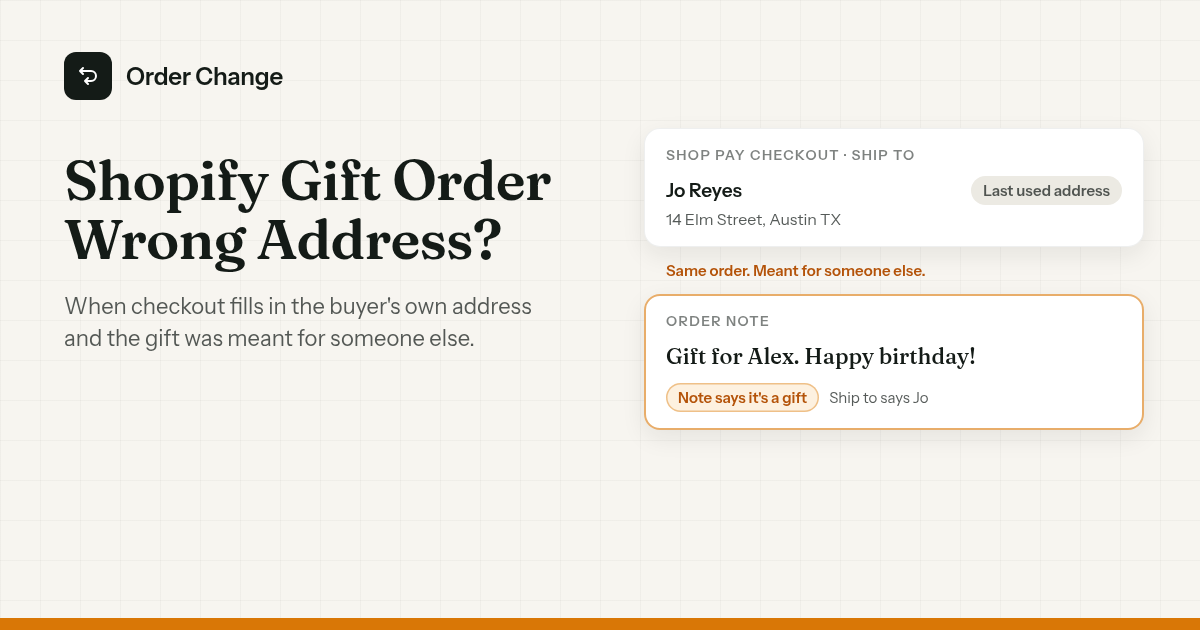
The short version. If it hasn't shipped, the address on the order can still be changed, by you or by the buyer if your store gives them a way. If it has shipped, it's a question for the carrier. Then set up checkout and the packing slip so the next gift goes where it should.
Why gift orders go to the wrong address
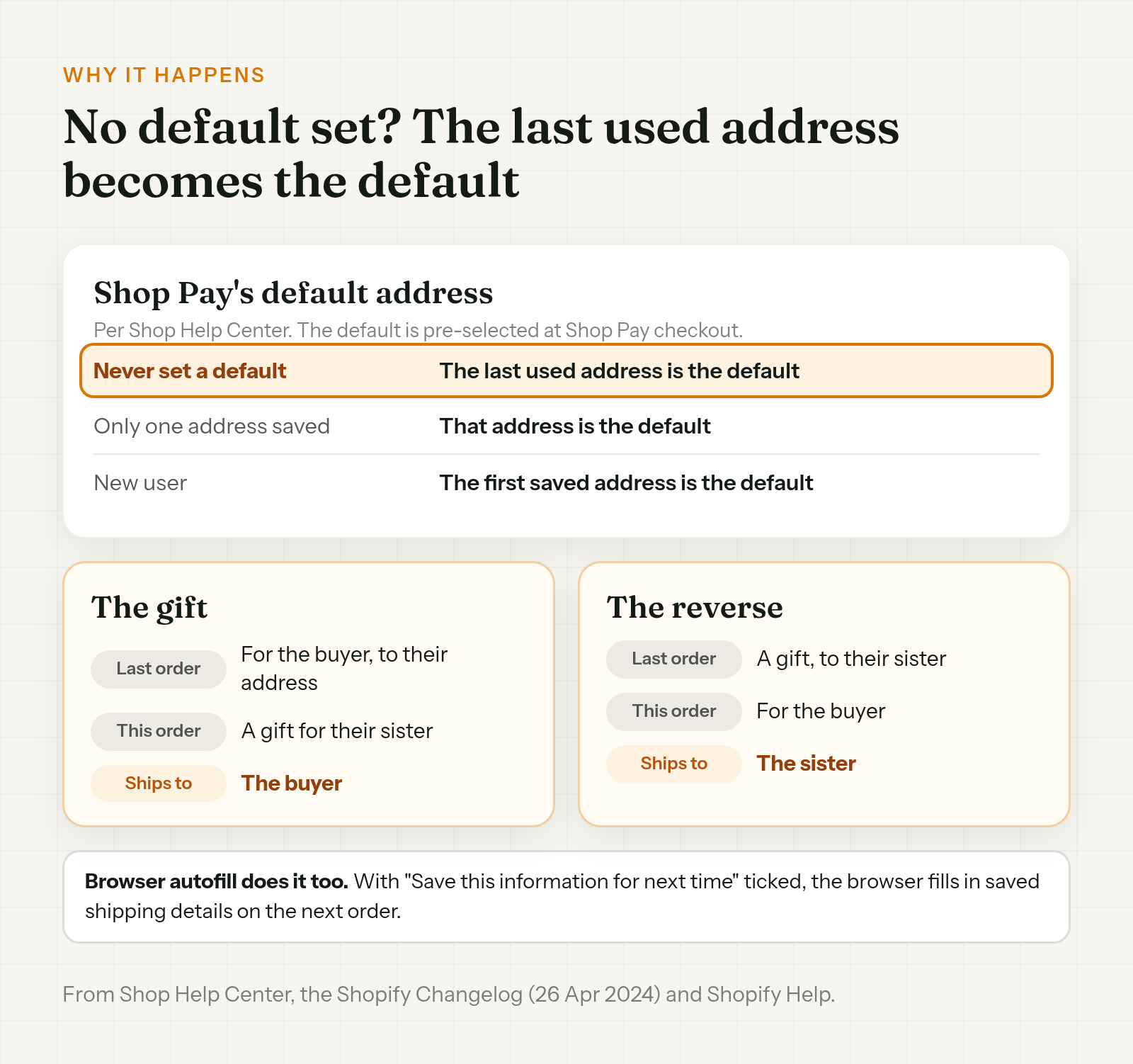
The main cause fits in one line. If a shopper never set a default address in Shop Pay, Shop treats their last used address as the default.
Shopify's changelog adds that Shop Pay default addresses are pre-selected at Shop Pay checkout. So the address that shows up is the last place they shipped to, unless they picked a default.
That's how a customer forgot to change the shipping address for a gift without doing anything wrong. Shop Pay can store up to 20 shipping addresses, and shoppers can change the Ship to address during checkout. They have to notice it first.
Browser autofill can do the same. If the customer ticked "Save this information for next time", their browser saves their contact and shipping details and fills them in next time. Shopify doesn't store that, and it has the browser clear it after one year.
The reverse case runs on the same rule. Last month's gift to the sister is now the last used address, so this order, for the buyer, can prefill hers.
Spot it before it ships
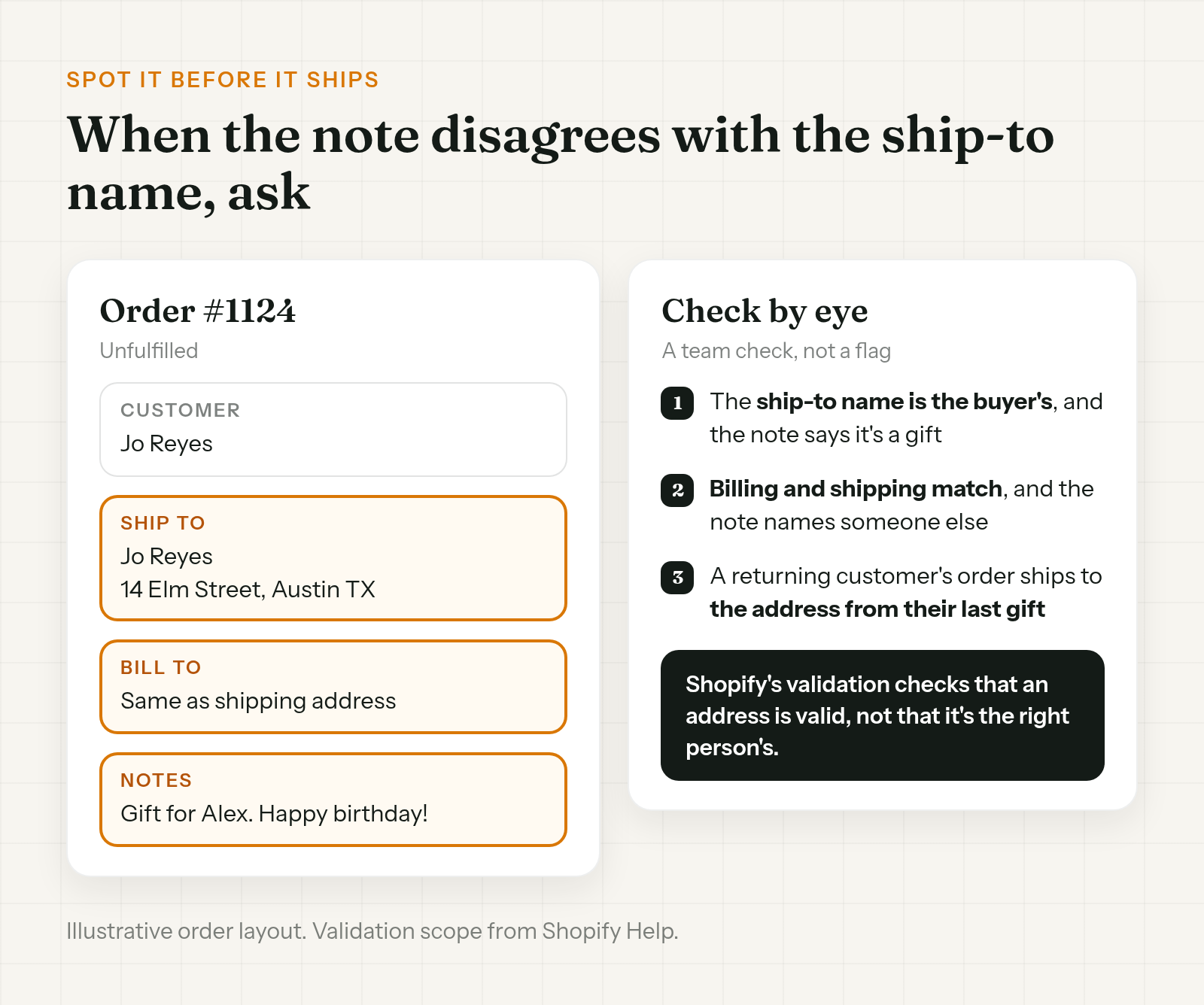
There's no flag for this. It's a check your team does by eye.
- The ship-to name is the buyer's name, and the note says it's a gift. The note is where the customer told you who it was for.
- Billing and shipping are the same address, and the note names someone else.
- A returning customer's order ships to an address from their last gift. That's the reverse case.
Shopify's own address validation isn't built for this. It checks whether an address is valid, not whether it's the right person's.
When something looks off, ask before the label prints:
Hi Jo, before we ship order #1124, can you check the address? Your note says it's a gift for Alex, but it's set to ship to your address. If it should go somewhere else, reply with the recipient's name and address and we'll update it before it ships.
Fix it before it ships
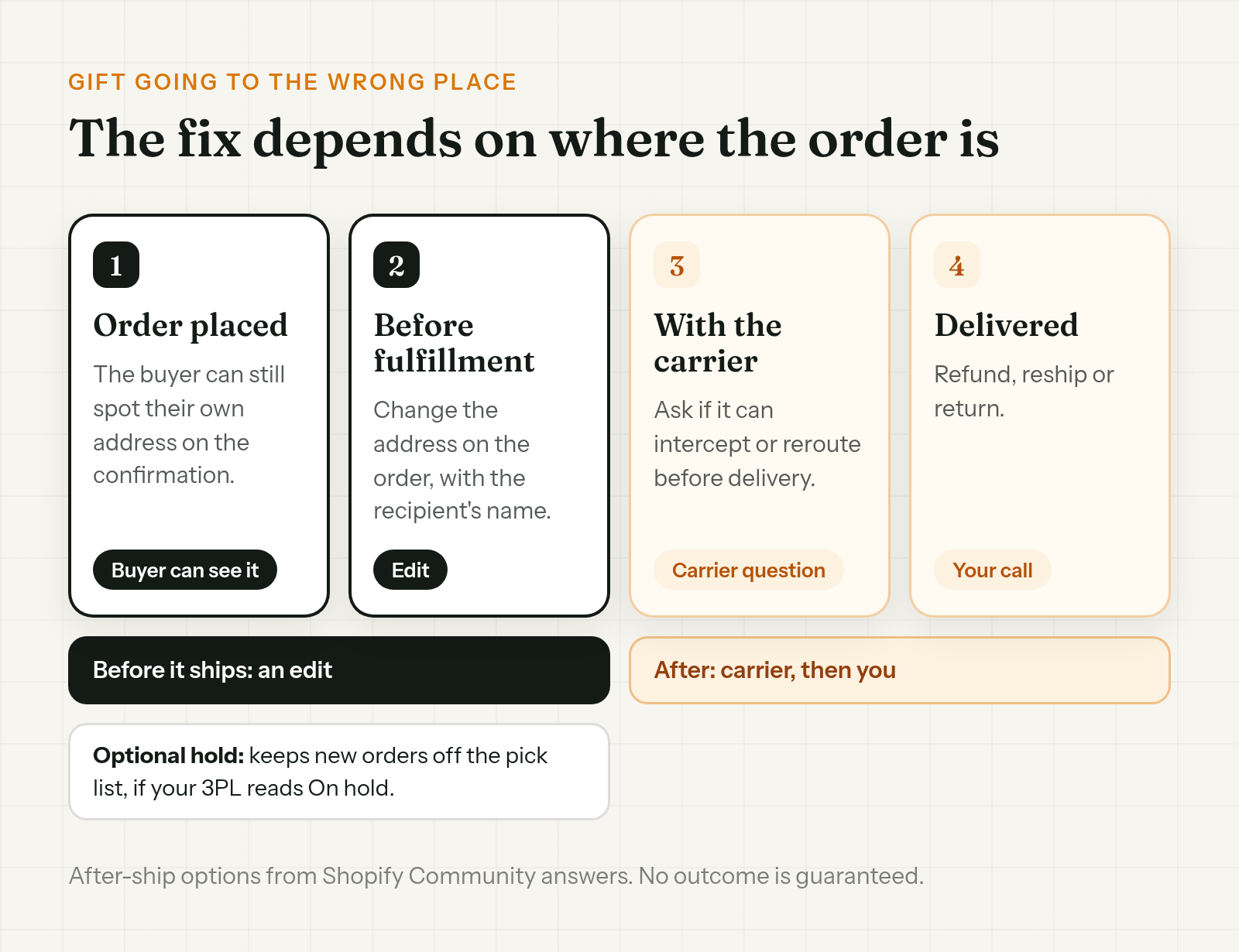
To change the gift recipient address on a Shopify order, change the shipping address on the order while it's still unfulfilled. Shop's help tells shoppers that to change the address on an order they've already placed, they have to contact the store, so expect that email.
Get the recipient's name as well as the address, so the parcel is addressed to the person it's for.
The full steps, including what to do if a label already exists or your 3PL has the order, are in how to change a shipping address on Shopify after an order.
If you want time to catch these before the warehouse does, a fulfillment hold keeps new orders off the pick list, if your 3PL reads Shopify's On hold status. Setup is in how to hold fulfillment on Shopify during order edits.
If it already shipped to the buyer
Once it's with the carrier, changing the order changes your records, not the parcel.
- Still moving. Ask the carrier if it can intercept or reroute it before delivery. Promise the customer nothing until it answers.
- Delivered to the buyer. The gift is with them, not lost. Whether it's a refund, a reship or a return is your call.
The carrier side is covered in the address change guide above.
Set up checkout so the next gift goes right
- Allow different billing and shipping addresses. Shopify recommends it. Requiring them to match "will prevent customers from sending gifts", and Shopify says that option is meant for stores with high fraud.
- Add a gift line to the cart note. On a free theme, you can turn on a cart note under Cart > Subtotal > Enable cart note, then relabel it under Edit default theme content > Sections > Cart > Note. It becomes the order note. A label like "Is this a gift? Add the recipient's name and a message." puts the answer where your team will look.
- Add a line to the order confirmation email. Something like "Sending a gift? Check the Ship to address." gives the buyer one more chance to see it.
Get the gift packing slip right
The same order can go wrong a second way: the slip in the box.
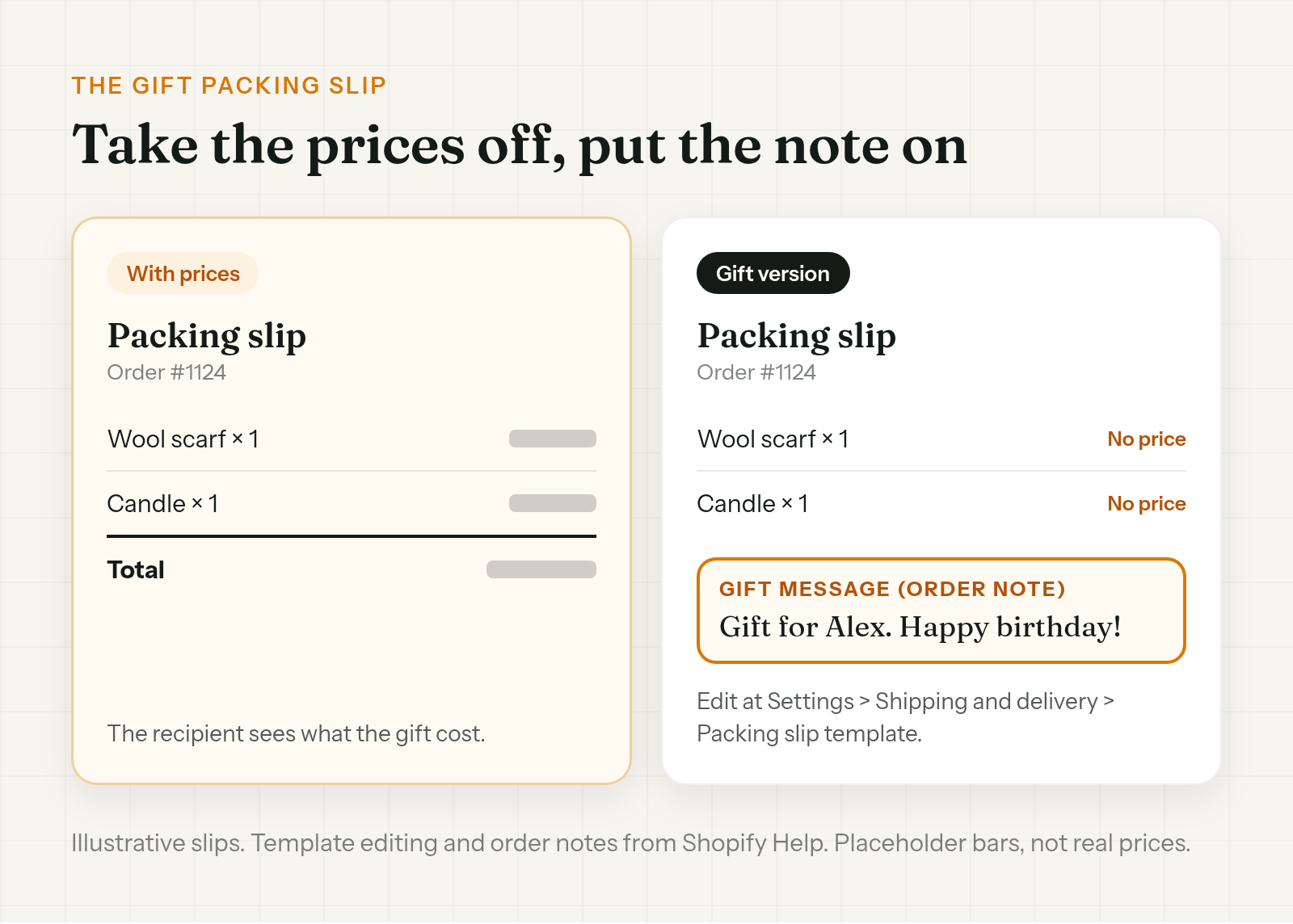
- Prices. The packing slip template is editable under Settings > Shipping and delivery > Packing slip template. You can remove prices from it. Merchants on the Shopify Community use a no-price template for gift orders.
- The gift note. The order note can be printed on the packing slip, so the message from the cart note reaches the recipient.
Before a gift goes out, print a test slip and check what else is on it.
Let the buyer fix it themselves
The buyer is the one person who knows the gift was meant for someone else. Give them a way to fix it the moment they see their own address on the confirmation.
Order Change lets shoppers fix the live Shopify order within the store's edit window, before anything ships. Shoppers can correct the recipient's name and the delivery address. A buyer who spots their own details right after checkout can change them on the Thank You page, with no login. If they notice in the confirmation email, they can fix it from the Order Status page with new customer accounts, while the store's edit window is still open. The optional fulfillment hold keeps the order from shipping until that window closes. It doesn't make the window any longer. The hold is off by default and only works if your 3PL reads On hold.
It won't flag a gift order or spot an address that's real but wrong, so the buyer has to notice. It doesn't update a label you've already bought, and it sends nothing to your 3PL, so a warehouse that already pulled the order may still have the old address. More at orderchange.com.
Check these either way
- The ship-to name. A gift needs the recipient's name on it, not only their address.
- Billing and shipping. If your checkout requires them to match, Shopify warns customers can't send gifts.
- The packing slip. Prices off, gift note on, before gift season.
- Returning customers. Last month's recipient can be this month's prefilled address.
FAQ
Why was the gift shipped to the buyer instead of the recipient?
A Shopify gift order wrong address can start at Shop Pay checkout. If the shopper never set a default address, Shop uses their last used address as the default, and the default is pre-selected. Browser autofill can fill in saved details too.
Can the customer change the gift address after ordering?
Shop's help tells shoppers to contact the store. You can change the shipping address on the order while it's unfulfilled. An app can let the buyer fix it within the store's edit window, before anything ships, on the Thank You page without signing in, or from the Order Status page with new customer accounts.
How do I hide prices on a gift packing slip?
Edit the packing slip template under Settings > Shipping and delivery > Packing slip template and remove the prices. You can also print the order note on the slip as the gift message.
Should I require billing and shipping addresses to match?
Shopify recommends allowing different addresses. It warns that requiring them to match will prevent customers from sending gifts, and says that option is meant for stores with high fraud.
The gift already shipped to the buyer. Now what?
If it's still moving, ask the carrier if it can intercept or reroute it before delivery. If it was delivered, refund, reship or return is your call.
Does Shopify catch a gift going to the wrong address?
No. Shopify's address validation checks whether an address is valid, not whether it belongs to the person the gift was for. Your team has to spot it, or the buyer does.
A Shopify gift order wrong address can come straight from Shop Pay, which treats the last used address as the default when the shopper never set one. Check the ship-to name against the order note before the label prints, and change the address while it's unfulfilled. Then set up checkout and the packing slip so the next gift goes right.
For stores that want buyers to fix a gift address themselves before it ships, see orderchange.com.
Related: change a shipping address
For the full edit, label void and 3PL steps, see How to change a shipping address on Shopify after an order.
Related: hold fulfillment
To keep orders out of the warehouse while customers can still fix them, see Hold fulfillment on Shopify during order edits.